Back to All Prompts
ChatGPT • 9:16
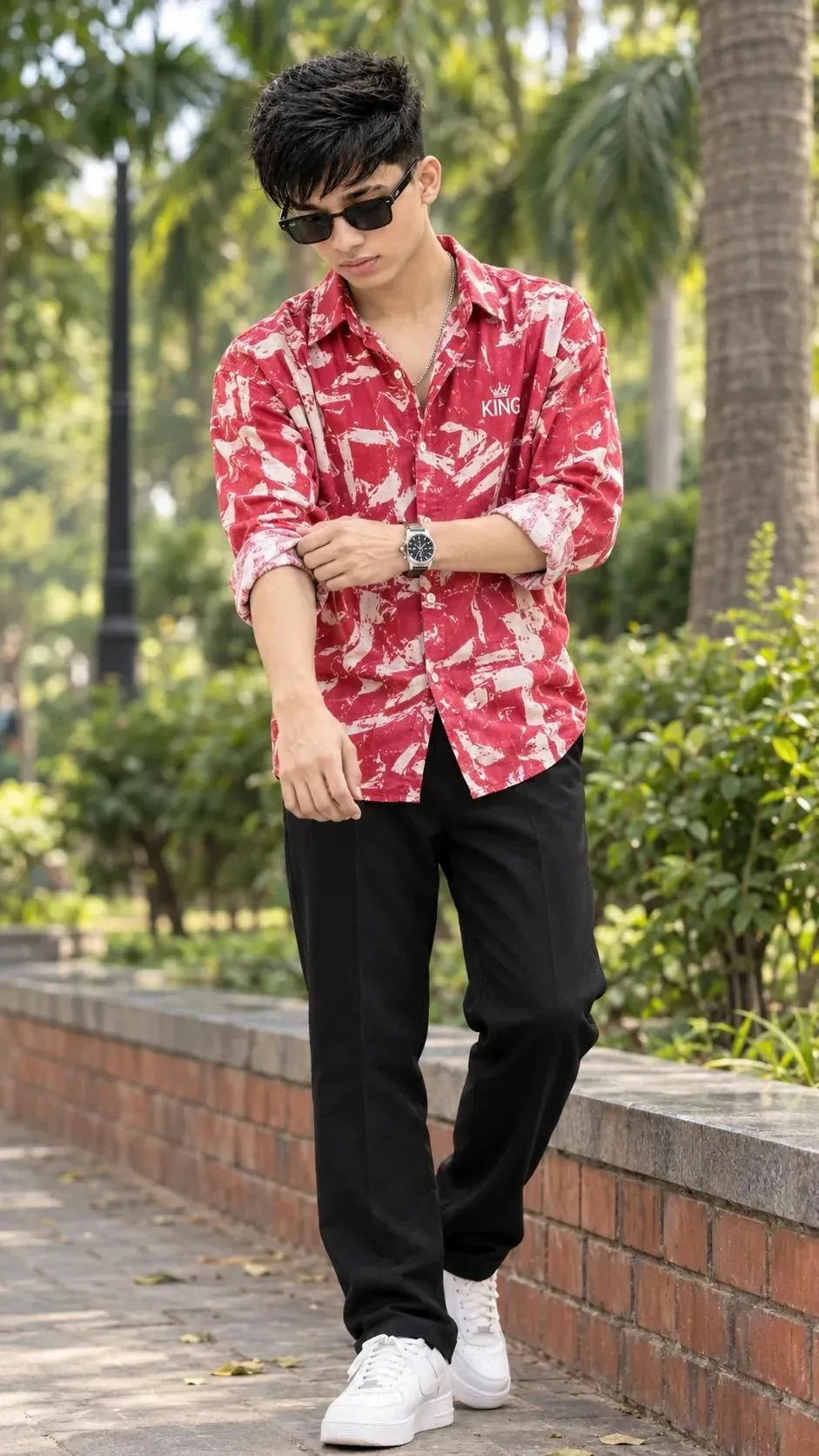
Young Man in Red Patterned Shirt Adjusting Sleeve in Park — ChatGPT AI Photography Prompt Recipe on Faymas
Photography by Alex Rivera

Young Man in Red Patterned Shirt Adjusting Sleeve in Park

Exact Prompt Recipe Scroll to read more
A full-body outdoor portrait of a young South Asian man standing on a brick-lined path in a park. He has short styled black hair with volume on top, a neat mustache, and light stubble. He wears black rectangular sunglasses and looks downward while adjusting the rolled-up sleeve of his shirt with both hands. He is dressed in a red long-sleeved button-up shirt with an abstract white brushstroke pattern and a small white “KING” logo with a crown on the left chest, black trousers, white sneakers, a silver chain necklace, and a silver wristwatch. Soft natural daylight. Background features green bushes, palm trees, and a paved walkway. Photorealistic, high detail, natural skin texture, realistic fabric folds, sharp focus on the subject. 2. FACE LOCK / IDENTITY PRESERVATION Preserve the exact facial identity of the young man in the reference image: same face shape, forehead, eyebrows, eye area (visible around the sunglasses), nose structure, lips, jawline, skin tone, and facial hair (mustache and stubble). Keep the same short black hairstyle with volume on top. Do not beautify, overly smooth the skin, change facial proportions, or alter his recognizable features. Maintain the same downward gaze and focused expression. 3. CLOTHING, POSE & COMPOSITION Red long-sleeved shirt with white abstract pattern and “KING” logo Black trousers White sneakers Black rectangular sunglasses Silver chain necklace and silver wristwatch Standing while rolling up / adjusting his left sleeve with both hands Full-body framing Subject centered, body slightly angled 4. BACKGROUND & LIGHTING Outdoor park setting with a red brick border, green bushes, and tall palm trees. Soft natural daylight creating gentle shadows. Fresh green and warm color palette. Shallow depth of field. 5. NEGATIVE PROMPT deformed face, different person, wrong identity, altered facial features, smooth plastic skin, extra fingers, bad hands, distorted anatomy, incorrect clothing, different shirt pattern or color, missing logo, wrong hairstyle, extra objects, text, watermark, oversaturated colors, harsh shadows, blurry face, low resolution, cartoonish 6. IMAGE SETTINGS Aspect ratio: 9:16 or 3:4 (portrait) Orientation: Portrait Quality: High detail, photorealistic, sharp focus on subject
Scroll for more
App: ChatGPT Ratio: 9:16

Suggested Prompts

More in Photography →
Photo Reproduction Guide

How to Recreate This Photo in ChatGPT

Follow this quick 4-step workflow to generate an identical visual style using the exact parameters tested for Young Man in Red Patterned Shirt Adjusting Sleeve in Park.

1

Copy the Recipe

Click the Copy Full Prompt button above. All key descriptors, lighting commands, and lens tags are copied directly to your clipboard.

2

Open ChatGPT

Open your ChatGPT app or web interface (e.g. ChatGPT chat, Bing Image Creator prompt bar, or Midjourney Discord).

3

Set 9:16 Ratio

Set your canvas size to 9:16. This gives you the natural composition shown above.

4

Customize Subject

Want your own face or a different subject? Simply change the character description or hair/clothing while keeping the lighting and camera tokens intact!

Pro Tip: To maintain this exact lighting in ChatGPT, keep the camera, aperture, and lighting keywords unmodified.
✓