Back to All Prompts
ChatGPT • 1:1
🤠 Midnight Cowboy — Cinematic Blue & Red Portrait — ChatGPT AI Photography Prompt Recipe on Faymas
Wallpapers by Alex Rivera

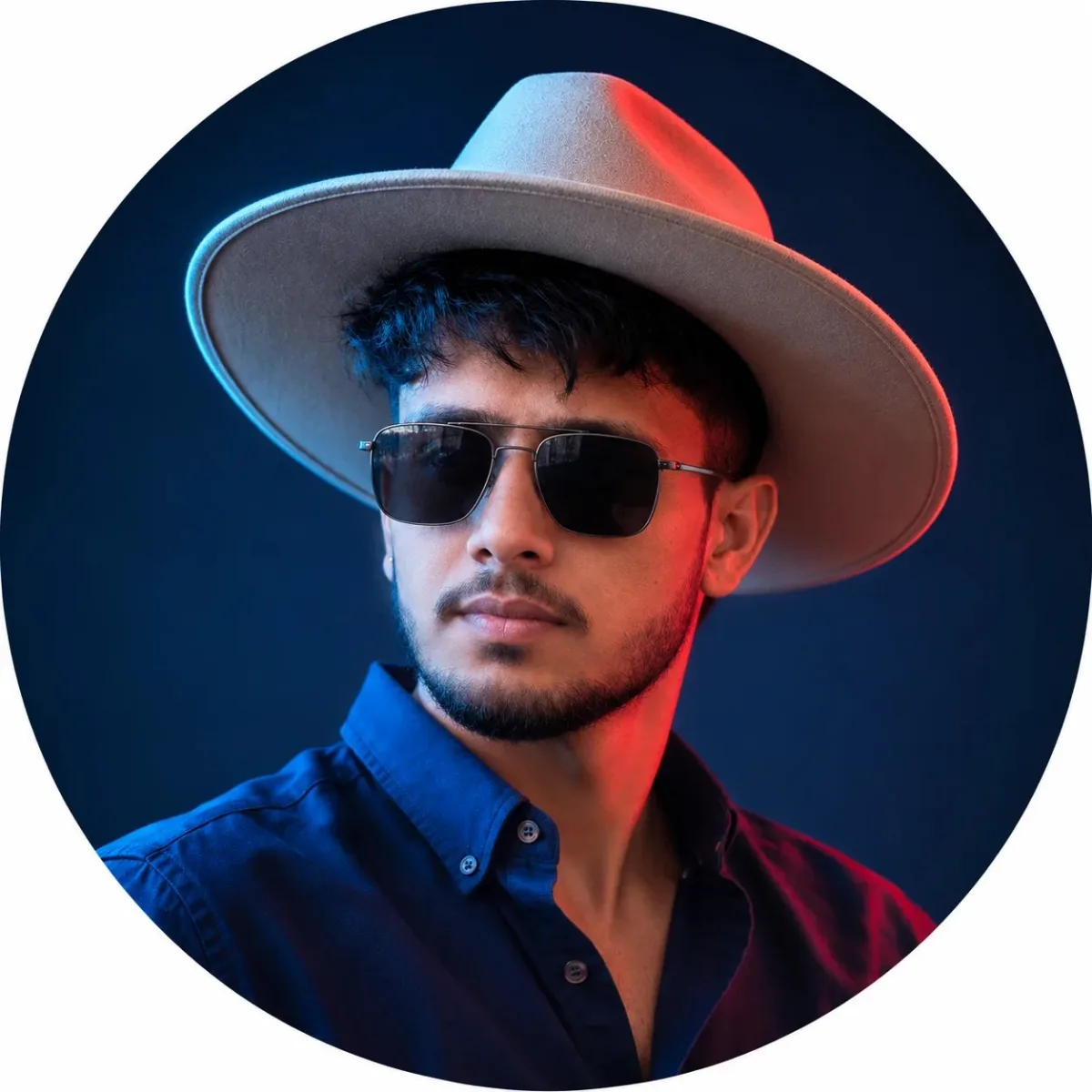
🤠 Midnight Cowboy — Cinematic Blue & Red Portrait

Exact Prompt Recipe Scroll to read more
Use the uploaded reference image as the STRICT VISUAL REFERENCE for the subject and overall composition. Preserve the exact facial identity and appearance of the reference subject: same face, facial structure, eyes, nose, lips, jawline, skin tone, hairstyle, beard/stubble pattern, facial proportions, and natural features. Do not alter or beautify the face. Create an ultra-realistic cinematic portrait of the same young man wearing a stylish wide-brimmed beige cowboy hat and dark black aviator sunglasses/goggles with subtle realistic lens reflections. He is wearing a dark navy-blue button-up shirt, shown from the chest up in a slightly three-quarter pose, looking confidently toward the left. Use dramatic cinematic studio lighting: intense cool blue light from the left side and vivid red light from the right side, creating a striking blue-and-red contrast across the face, hat, neck, and shirt. Background should be a smooth deep navy-to-black studio backdrop with subtle atmospheric depth. The cowboy hat should have realistic premium felt texture, natural fabric detail, realistic curved brim, and accurate shadows. Sunglasses should look physically realistic, properly fitted to the face, with dark tinted lenses and thin metallic frames. Photorealistic skin texture, individual hair strands, realistic beard detail, natural fabric folds, cinematic color grading, shallow depth of field, soft background falloff, HDR, professional fashion/editorial photography, sharp facial details, ultra-detailed 4K quality. Composition: centered circular portrait framing matching the reference, subject filling most of the circle, clean minimal background, balanced composition, premium cinematic profile-picture aesthetic. Negative: no face change, no identity change, no distorted facial features, no extra people, no extra accessories, no text, no watermark, no logo, no cartoon/anime effect, no plastic skin, no unnatural eyes, no deformed sunglasses, no distorted hat.
Scroll for more
App: ChatGPT Ratio: 1:1

Suggested Prompts

More in Wallpapers →
Photo Reproduction Guide

How to Recreate This Photo in ChatGPT

Follow this quick 4-step workflow to generate an identical visual style using the exact parameters tested for 🤠 Midnight Cowboy — Cinematic Blue & Red Portrait.

1

Copy the Recipe

Click the Copy Full Prompt button above. All key descriptors, lighting commands, and lens tags are copied directly to your clipboard.

2

Open ChatGPT

Open your ChatGPT app or web interface (e.g. ChatGPT chat, Bing Image Creator prompt bar, or Midjourney Discord).

3

Set 1:1 Ratio

Set your canvas size to 1:1. This gives you the natural composition shown above.

4

Customize Subject

Want your own face or a different subject? Simply change the character description or hair/clothing while keeping the lighting and camera tokens intact!

Pro Tip: To maintain this exact lighting in ChatGPT, keep the camera, aperture, and lighting keywords unmodified.
✓