Back to All Prompts
ChatGPT • 9:16
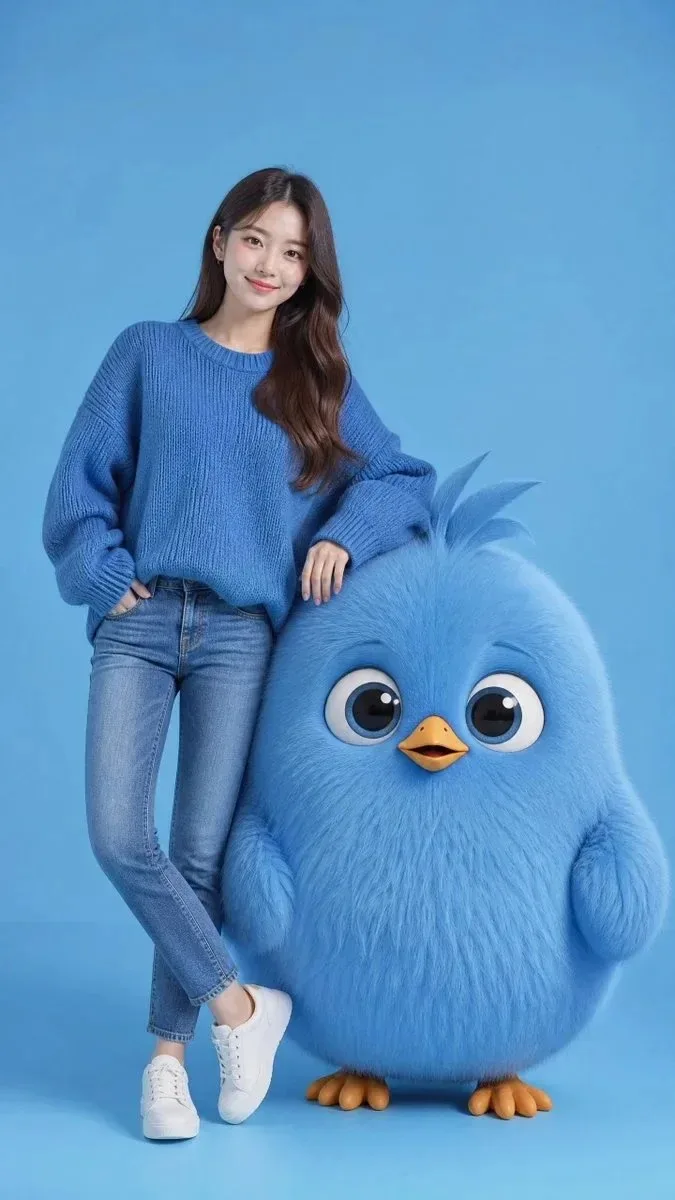
Ultra-Realistic Studio Portrait with a Clean Monochromatic Sky-Blue Generate a poster design prompt featuring ultra-real — ChatGPT AI Photography Prompt Recipe on Faymas
UI & Graphic by Alex Rivera

Ultra-Realistic Studio Portrait with a Clean Monochromatic Sky-Blue Generate a poster design prompt featuring ultra-real

Exact Prompt Recipe Scroll to read more
Ultra-realistic studio portrait with a clean monochromatic sky-blue background. A beautiful stylish young Korean woman with authentic East Asian facial features, long silky dark brown hair, flawless skin, soft natural makeup, and a gentle smile stands casually with one leg crossed. She wears an oversized textured blue knit sweater, fitted blue jeans, and clean white sneakers. Beside her stands an adorable giant fluffy round blue bird character, nearly waist-high, with ultra-soft fur, oversized expressive eyes, a small yellow-orange beak, tiny wings, and cute feather tufts on top. The woman casually rests one arm on the bird, creating a playful friendship pose. Everything follows a harmonious blue-on-blue color palette with subtle orange accents from the bird's beak and feet. Soft diffused studio lighting, smooth shadows, premium fashion photography mixed with Pixar-quality character design, highly detailed fur and realistic skin texture, centered composition, elegant minimalism, vibrant yet soft colors, cinematic quality, magazine cover aesthetic, 85mm lens look, shallow depth of field, extremely cute and visually appealing, photorealistic.
Scroll for more
App: ChatGPT Ratio: 9:16

Suggested Prompts

More in UI & Graphic →
Photo Reproduction Guide

How to Recreate This Photo in ChatGPT

Follow this quick 4-step workflow to generate an identical visual style using the exact parameters tested for Ultra-Realistic Studio Portrait with a Clean Monochromatic Sky-Blue Generate a poster design prompt featuring ultra-real.

1

Copy the Recipe

Click the Copy Full Prompt button above. All key descriptors, lighting commands, and lens tags are copied directly to your clipboard.

2

Open ChatGPT

Open your ChatGPT app or web interface (e.g. ChatGPT chat, Bing Image Creator prompt bar, or Midjourney Discord).

3

Set 9:16 Ratio

Set your canvas size to 9:16. This gives you the natural composition shown above.

4

Customize Subject

Want your own face or a different subject? Simply change the character description or hair/clothing while keeping the lighting and camera tokens intact!


Pro Tip: To maintain this exact lighting in ChatGPT, keep the camera, aperture, and lighting keywords unmodified.
✓