Back to All Prompts
ChatGPT • 4:5
Trisha – Elegant Portrait Collage — ChatGPT AI Photography Prompt Recipe on Faymas
Product & Brand by Alex Rivera

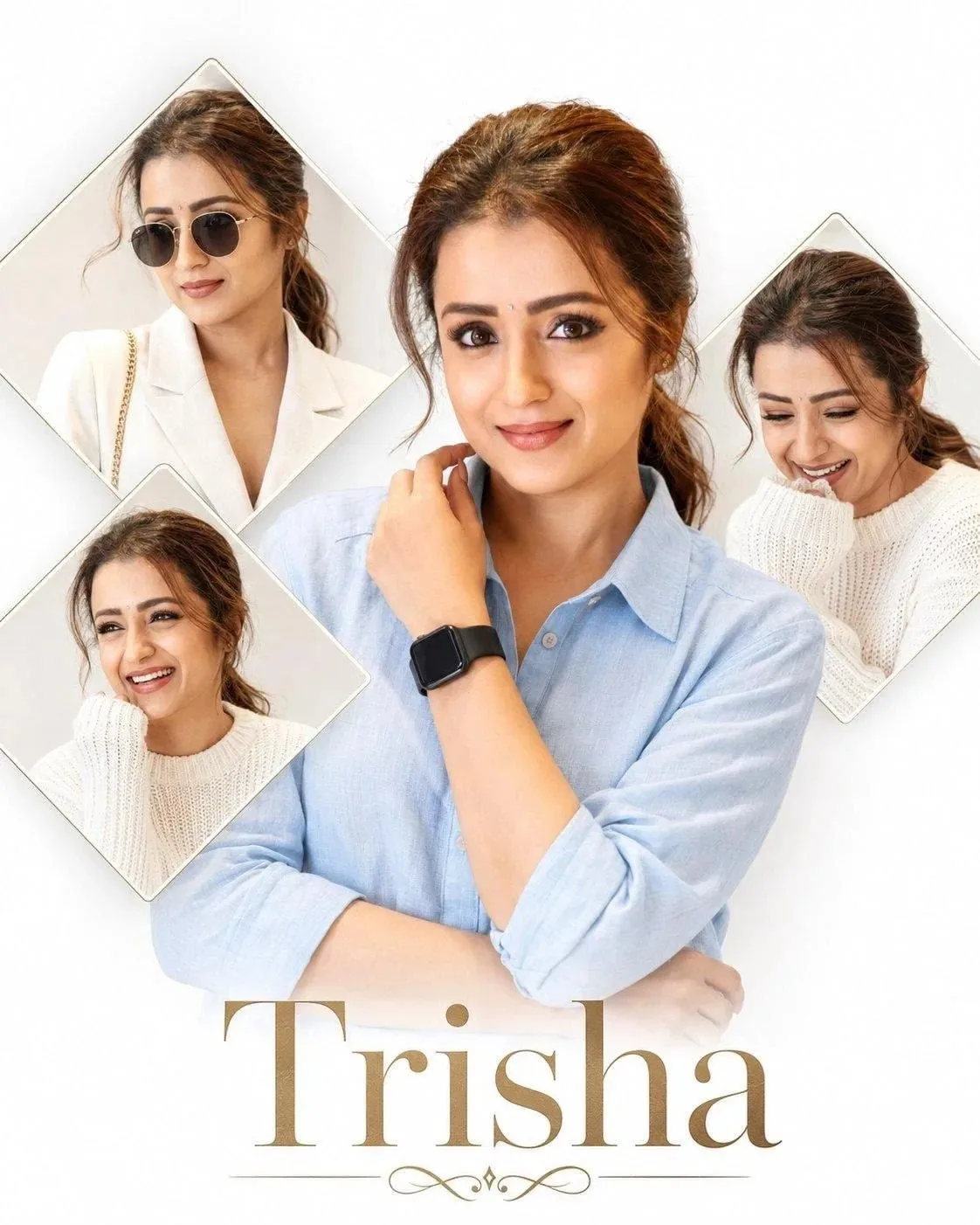
Trisha – Elegant Portrait Collage

Exact Prompt Recipe Scroll to read more
Create a highly realistic professional portrait collage inspired by the reference image. Keep the composition almost identical: a large central portrait of a woman wearing a light blue button-up shirt, standing against a clean soft white background, with one hand near her collar and the other arm folded naturally. Add three smaller diamond-shaped portrait frames around the main subject, each showing the same woman in different natural expressions and poses—wearing a white blazer with sunglasses, smiling in a cozy white sweater, and laughing with eyes closed in a white sweater. Maintain realistic facial anatomy, natural skin texture, detailed eyes, eyebrows, lips, hair strands, subtle makeup, soft shadows, accurate hands and fingers, and natural proportions. Hair should be brown and loosely tied back with a few soft strands framing the face. Use bright high-key studio lighting, soft diffused shadows, clean white background, elegant editorial photography, realistic fabric texture, sharp focus, natural skin tones, and premium magazine-quality retouching. At the bottom, add the elegant word “Trisha” in a large refined gold/tan luxury serif font, with a thin decorative ornamental flourish underneath. Preserve the overall spacing, framing, portrait arrangement, minimal aesthetic, and sophisticated fashion-editorial feel of the reference image. Photorealistic, ultra-detailed, high resolution, natural lighting, realistic camera optics, no cartoon effect, no artificial-looking skin.
Scroll for more
App: ChatGPT Ratio: 4:5
Photo Reproduction Guide

How to Recreate This Photo in ChatGPT

Follow this quick 4-step workflow to generate an identical visual style using the exact parameters tested for Trisha – Elegant Portrait Collage.

1

Copy the Recipe

Click the Copy Full Prompt button above. All key descriptors, lighting commands, and lens tags are copied directly to your clipboard.

2

Open ChatGPT

Open your ChatGPT app or web interface (e.g. ChatGPT chat, Bing Image Creator prompt bar, or Midjourney Discord).

3

Set 4:5 Ratio

Set your canvas size to 4:5. This gives you the natural composition shown above.

4

Customize Subject

Want your own face or a different subject? Simply change the character description or hair/clothing while keeping the lighting and camera tokens intact!


Pro Tip: To maintain this exact lighting in ChatGPT, keep the camera, aperture, and lighting keywords unmodified.
✓