1 Copy the prompt
2 Open ChatGPT / Gemini / Grok / Meta AI
3 Upload your photo and paste
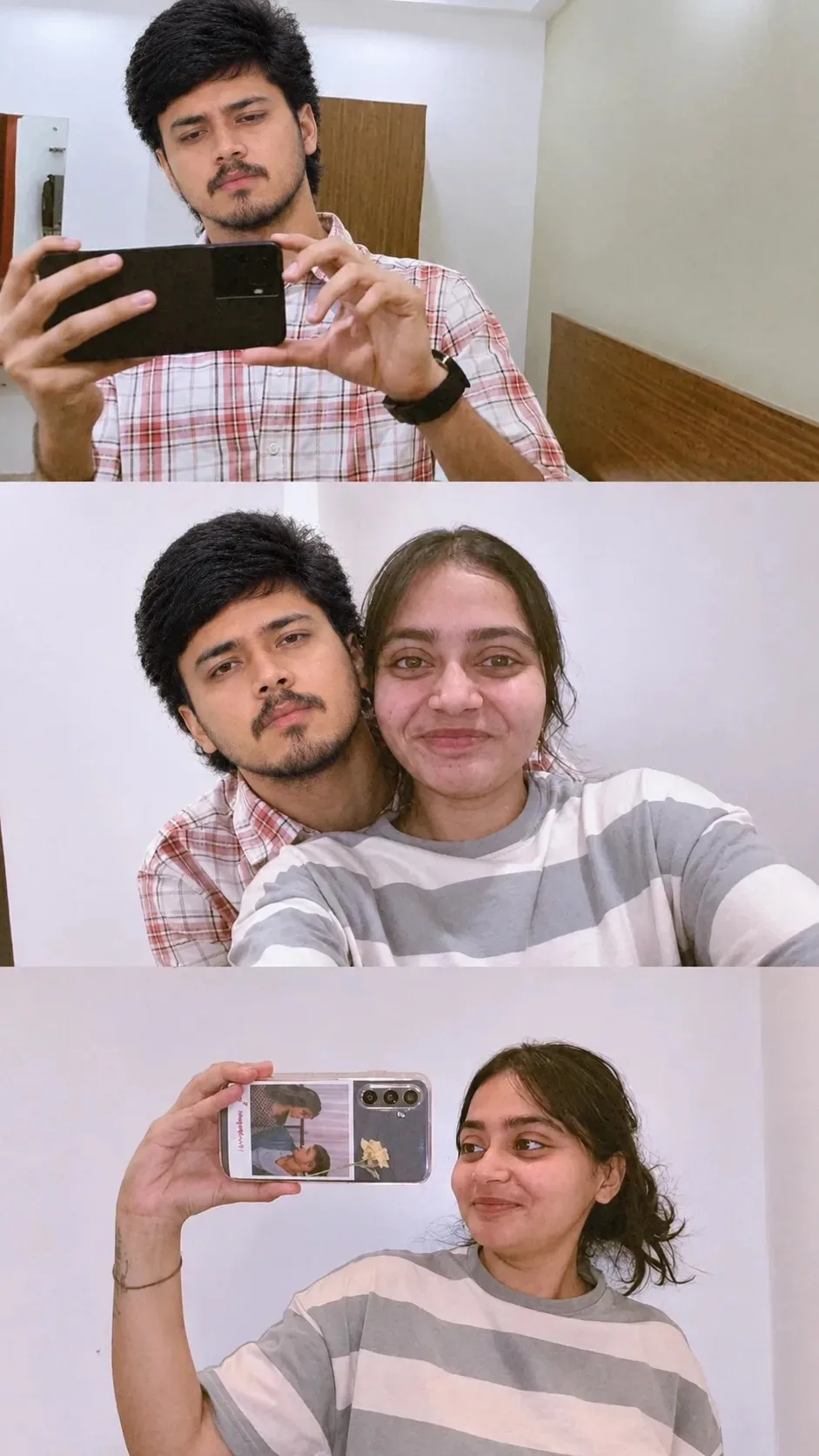
Three Moments Together | Couple Memory Collage — Grok AI Photography Prompt Recipe on Faymas
Grok 9:16
By Kavita Singh

Three Moments Together | Couple Memory Collage

Exact Prompt Recipe Scroll to read full
Create a realistic, emotional couple photography collage inspired by the uploaded reference image. Preserve the three-panel collage format and natural, candid feeling. Top panel: a young man taking a mirror selfie with a smartphone, wearing a casual white-and-red checkered shirt and black wristwatch, in a simple bedroom. Middle panel: the same young man sitting closely beside a young woman while they take a casual selfie together, both looking naturally at the camera with a warm, comfortable expression. Bottom panel: the young woman taking a mirror selfie while holding a smartphone, wearing a casual white-and-gray striped T-shirt, with her hair tied back naturally. Keep the same facial identities, hairstyles, clothing, poses, phone positions, room interiors, and framing as the reference. Natural indoor lighting, realistic skin texture, authentic expressions, subtle shadows, ordinary home setting. Make all three images feel like genuine personal photographs, not overly polished or artificial. Photorealistic, high detail, natural colors, realistic smartphone-camera quality, clean three-section layout, vertical 4:5 composition.
Scroll for more ↓
App: Grok Ratio: 9:16 0 copies

Related Prompts in Fun & Memes

More tested recipes in the same photography genre

View all →
Photo Reproduction Guide

How to Recreate This Photo in Grok

Follow this quick 4-step workflow to generate an identical visual style using the exact parameters tested for Three Moments Together | Couple Memory Collage.

1

Copy the Recipe

Click the Copy Full Prompt button above. All key descriptors, lighting commands, and lens tags are copied directly to your clipboard.

2

Open Grok

Open your AI app (ChatGPT, Gemini, Meta AI, Grok, or Bing). Ensure you are in photo generation mode.

3

Set Canvas Ratio

Set the aspect ratio to 9:16 for matching composition.

4

Paste & Generate

Paste the prompt. Swap the subject details if you want a custom face while preserving identical lighting.

✓