Back to All Prompts
ChatGPT • 3:4
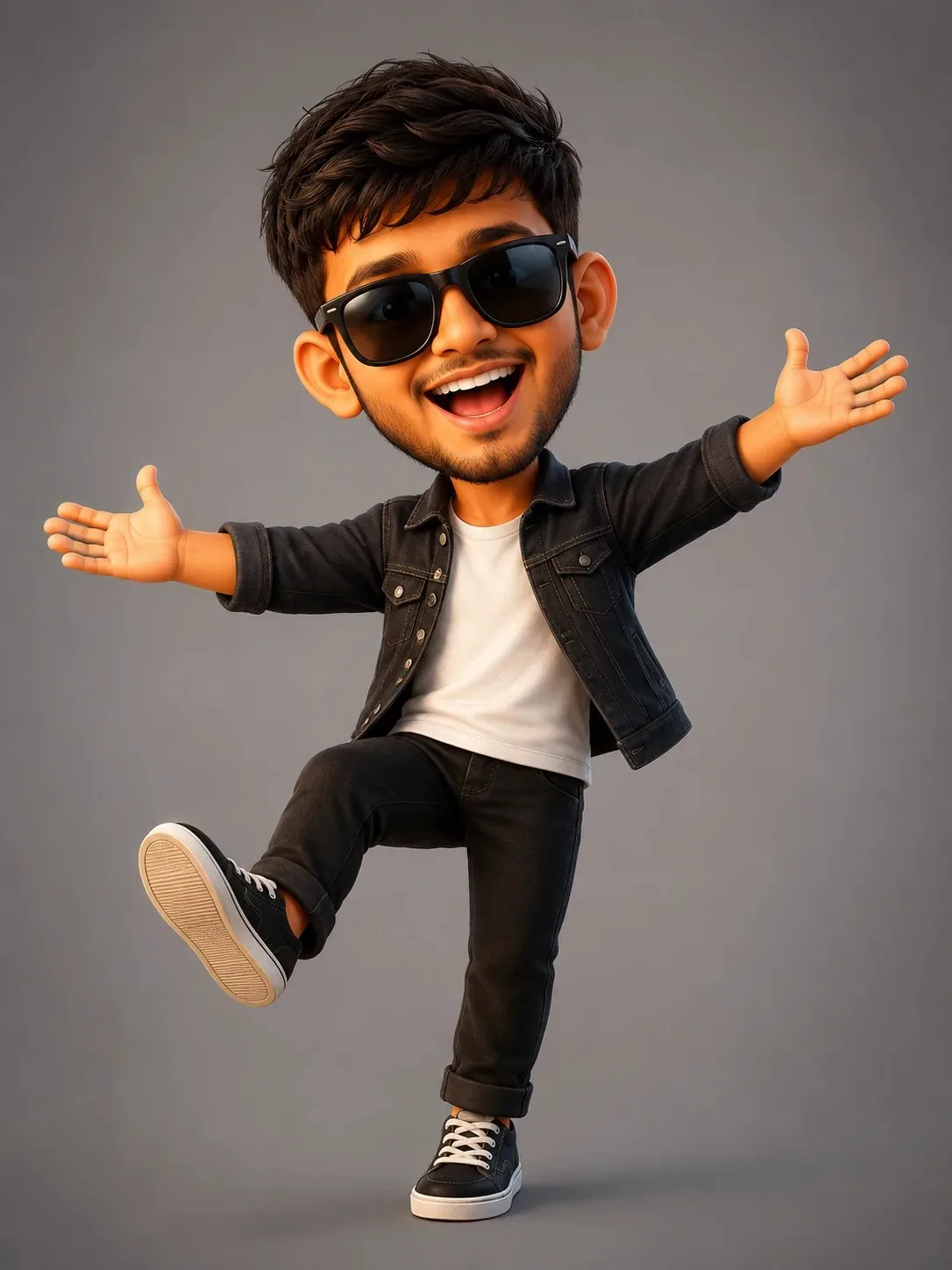
Cute 3D Cartoon Caricature Prompt — Same Expression — ChatGPT AI Photography Prompt Recipe on Faymas
Fun & Memes by Alex Rivera

Cute 3D Cartoon Caricature Prompt — Same Expression

Exact Prompt Recipe Scroll to read more
Create a high-quality cute cartoon caricature of the person from the provided reference photo, while preserving his recognizable facial features, hairstyle, beard, skin tone, and overall appearance. Give him the exact same joyful expression and energetic pose as the reference cartoon: a big cheerful open-mouth smile, happy eyes behind oversized dark sunglasses, both arms stretched wide outward with open palms, shoulders raised slightly, and one leg lifted forward playfully while balancing on the other leg. The body language should feel excited, carefree, funny, and welcoming. Use adorably exaggerated proportions: large head, slightly smaller body, expressive face, short cartoon limbs, rounded features, and stylish oversized sunglasses. Dress him in a casual stylish outfit inspired by his original reference photo, keeping the black denim jacket, white T-shirt, black pants, and sneakers. Style: premium 3D animated caricature, polished cartoon rendering, soft realistic textures, expressive face, smooth skin, detailed hair and beard, cinematic soft lighting, subtle shadows, clean studio background, charming professional LinkedIn-style avatar, playful and humorous but still recognizable. Important: Keep the same facial expression, arms-wide pose, raised-leg pose, and cheerful energy as the provided cartoon reference. Do not make him serious or change the expression. No text, no logos, no watermark, no speech bubble.
Scroll for more
App: ChatGPT Ratio: 3:4

Suggested Prompts

More in Fun & Memes →
Photo Reproduction Guide

How to Recreate This Photo in ChatGPT

Follow this quick 4-step workflow to generate an identical visual style using the exact parameters tested for Cute 3D Cartoon Caricature Prompt — Same Expression.

1

Copy the Recipe

Click the Copy Full Prompt button above. All key descriptors, lighting commands, and lens tags are copied directly to your clipboard.

2

Open ChatGPT

Open your ChatGPT app or web interface (e.g. ChatGPT chat, Bing Image Creator prompt bar, or Midjourney Discord).

3

Set 3:4 Ratio

Set your canvas size to 3:4. This gives you the natural composition shown above.

4

Customize Subject

Want your own face or a different subject? Simply change the character description or hair/clothing while keeping the lighting and camera tokens intact!


Pro Tip: To maintain this exact lighting in ChatGPT, keep the camera, aperture, and lighting keywords unmodified.
✓