Back to All Prompts
ChatGPT • 9:16
Squish — Funny Couple Chaos — ChatGPT AI Photography Prompt Recipe on Faymas
UI & Graphic by Alex Rivera

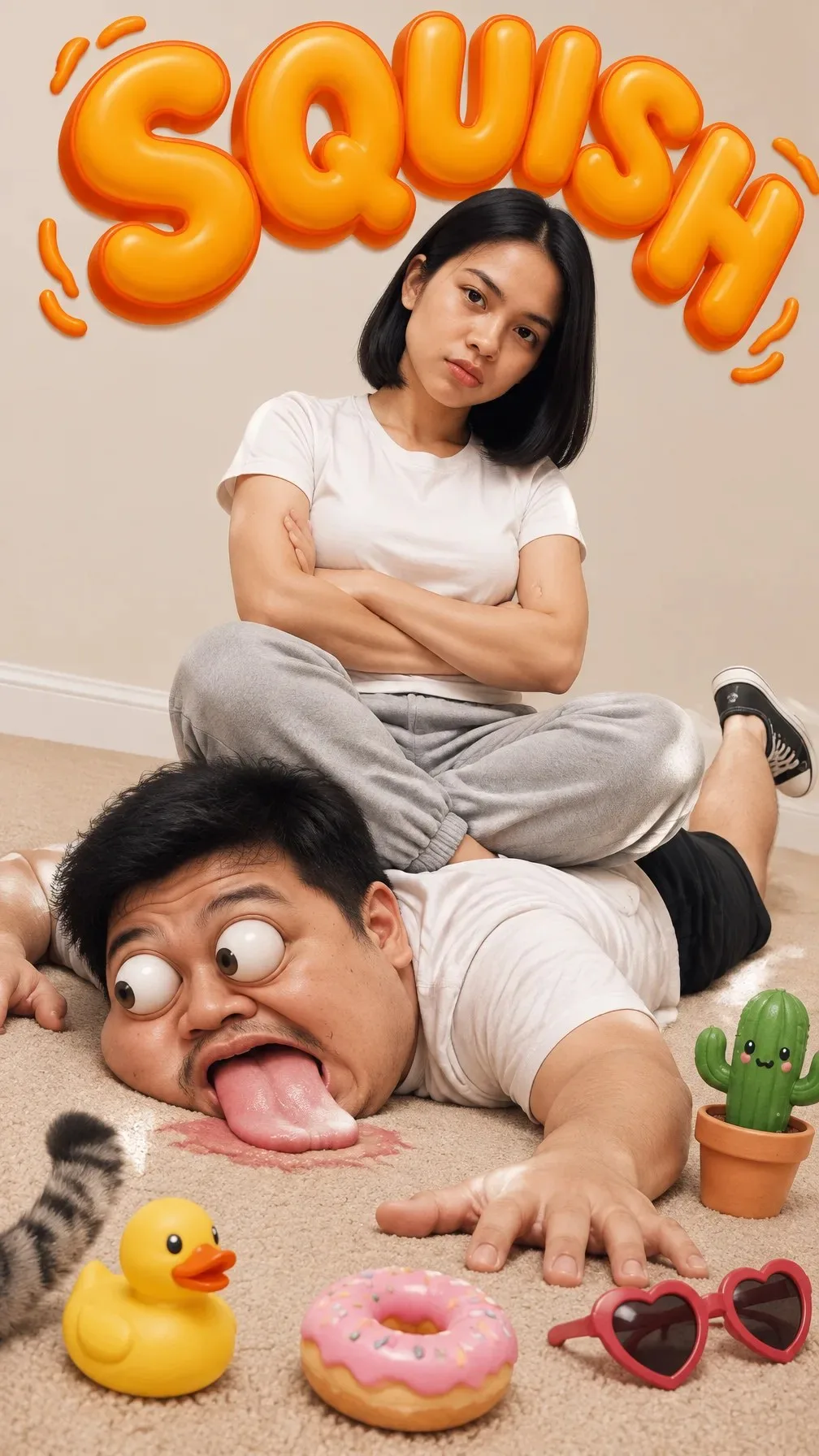
Squish — Funny Couple Chaos

Exact Prompt Recipe Scroll to read more
Create a highly detailed, photorealistic comedic portrait of a playful young couple in a quirky indoor scene. A young woman sits cross-legged on top of a young man who is lying flat on his stomach on a soft beige carpet. She wears a plain white fitted T-shirt, light gray sweatpants, and black-and-white sneakers, with short straight black hair and a calm, slightly serious expression. The man wears a white T-shirt and black pants and has an exaggerated cartoon-style facial expression with enormous bulging eyes, a wide-open mouth, and his tongue sticking out, creating a humorous squashed effect. The composition should combine realistic human photography with subtle surreal cartoon exaggeration. Preserve realistic skin texture, hair detail, clothing fabric, anatomy, and natural indoor lighting while making the man's facial expression intentionally comical and exaggerated. Behind them, add large glossy inflated 3D orange lettering reading exactly “SQUISH”, mounted prominently on a warm beige wall. Add playful orange decorative squiggles around the lettering. Scatter humorous colorful props across the carpet: a small yellow rubber duck, a pink-frosted donut with sprinkles, red heart-shaped sunglasses, a cute green cartoon cactus in a terracotta pot, and a fluffy cat tail partially visible at the edge of the frame. Use warm soft studio lighting, clean beige interior, realistic shadows, detailed textures, polished 3D typography, vibrant playful colors, whimsical advertising-photography aesthetic, sharp foreground details, subtle depth of field, ultra-realistic 4K quality, vertical 9:16 composition, funny meme-style atmosphere, no watermark, no unwanted text, no distorted hands or limbs.
Scroll for more
App: ChatGPT Ratio: 9:16

Suggested Prompts

More in UI & Graphic →
Photo Reproduction Guide

How to Recreate This Photo in ChatGPT

Follow this quick 4-step workflow to generate an identical visual style using the exact parameters tested for Squish — Funny Couple Chaos.

1

Copy the Recipe

Click the Copy Full Prompt button above. All key descriptors, lighting commands, and lens tags are copied directly to your clipboard.

2

Open ChatGPT

Open your ChatGPT app or web interface (e.g. ChatGPT chat, Bing Image Creator prompt bar, or Midjourney Discord).

3

Set 9:16 Ratio

Set your canvas size to 9:16. This gives you the natural composition shown above.

4

Customize Subject

Want your own face or a different subject? Simply change the character description or hair/clothing while keeping the lighting and camera tokens intact!

Pro Tip: To maintain this exact lighting in ChatGPT, keep the camera, aperture, and lighting keywords unmodified.
✓