Back to All Prompts
ChatGPT • 9:16
SHATTERED — A Man in Fragments — ChatGPT AI Photography Prompt Recipe on Faymas
UI & Graphic by Alex Rivera

SHATTERED — A Man in Fragments

Exact Prompt Recipe Scroll to read more
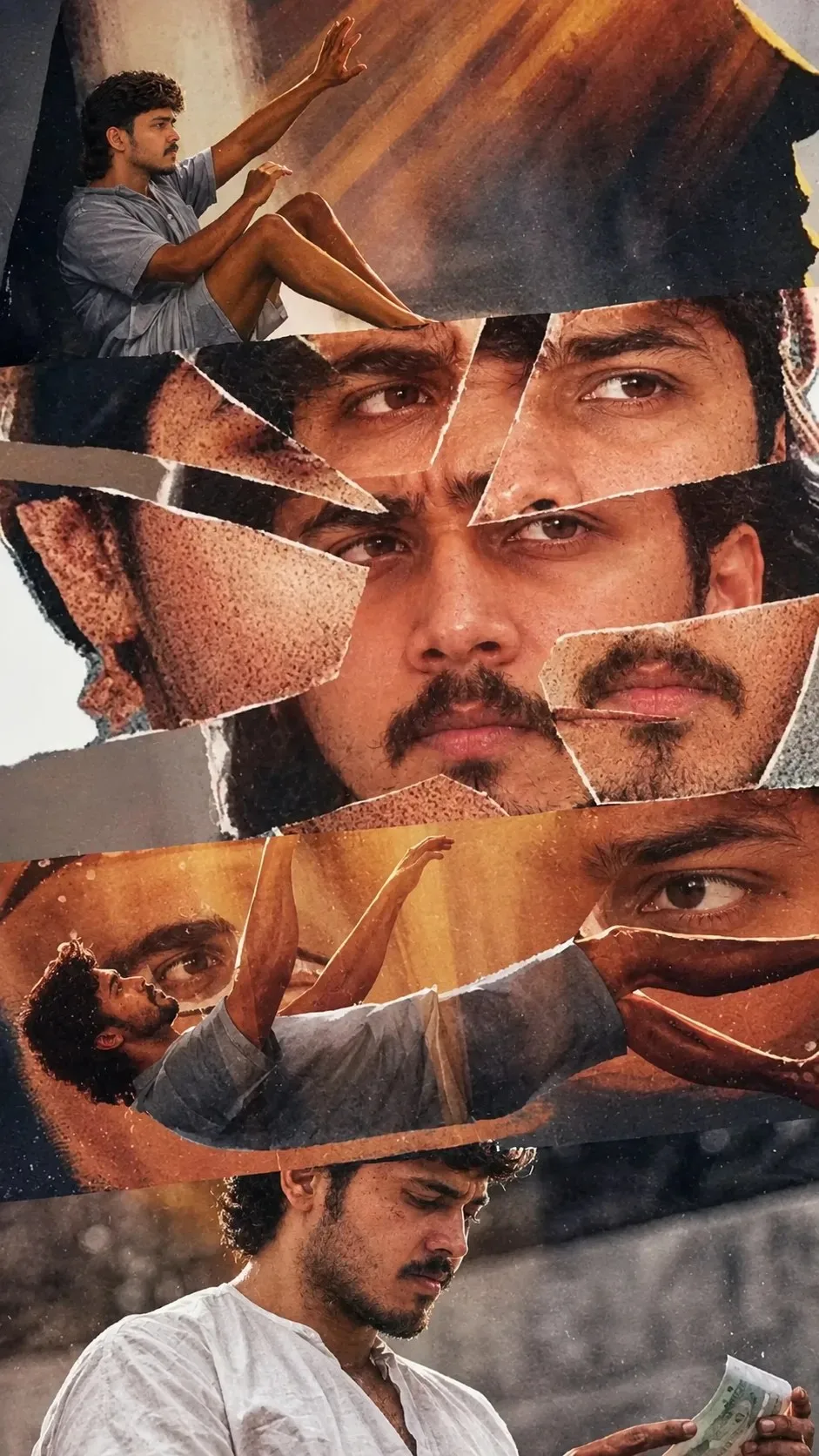
Create a cinematic experimental Indian movie poster using a fragmented visual collage. Feature the same young South Indian man throughout the composition, wearing a loose light gray/white traditional shirt and shorts, shown in multiple emotional and cinematic poses. Build the poster from irregular torn-paper and shattered-photograph fragments, layered seamlessly over one another. At the top, show him sitting against a dramatic rocky surface, reaching upward. In the central section, create a powerful close-up of his face and intense eyes, reconstructed from multiple torn photographic pieces, with each fragment showing slightly different expressions and angles. Surround the face with overlapping fragments of his eyes, beard, profile, and facial details. In the lower-middle section, show him lying or reaching upward against a warm golden sunset, creating a surreal visual connection between the different fragments. At the bottom, show him sitting quietly in a dusty outdoor environment, looking downward while holding a few currency notes. Use warm earthy orange, brown, beige, charcoal, and muted gray tones, realistic skin texture, natural sunlight, subtle film grain, atmospheric dust particles, dramatic shadows, and a slightly vintage photographic treatment. Make the torn edges highly realistic, with visible paper fibers and layered depth. The overall composition should feel psychological, mysterious, emotional, artistic, and cinematic, like an award-winning Indian independent-film poster. Strong visual storytelling, photorealistic photography, editorial collage design, dramatic composition, high detail, premium movie-poster aesthetic, vertical 2:3 format, no unnecessary text.
Scroll for more
App: ChatGPT Ratio: 9:16

Suggested Prompts

More in UI & Graphic →
Photo Reproduction Guide

How to Recreate This Photo in ChatGPT

Follow this quick 4-step workflow to generate an identical visual style using the exact parameters tested for SHATTERED — A Man in Fragments.

1

Copy the Recipe

Click the Copy Full Prompt button above. All key descriptors, lighting commands, and lens tags are copied directly to your clipboard.

2

Open ChatGPT

Open your ChatGPT app or web interface (e.g. ChatGPT chat, Bing Image Creator prompt bar, or Midjourney Discord).

3

Set 9:16 Ratio

Set your canvas size to 9:16. This gives you the natural composition shown above.

4

Customize Subject

Want your own face or a different subject? Simply change the character description or hair/clothing while keeping the lighting and camera tokens intact!

Pro Tip: To maintain this exact lighting in ChatGPT, keep the camera, aperture, and lighting keywords unmodified.
✓