1 Copy the prompt
2 Open ChatGPT / Gemini / Grok / Meta AI
3 Upload your photo and paste
Realistic Prompt 🤫 — Grok AI Photography Prompt Recipe on Faymas
Grok 2:3
By Kajal Agarwal

Realistic Prompt 🤫

Exact Prompt Recipe Scroll to read full
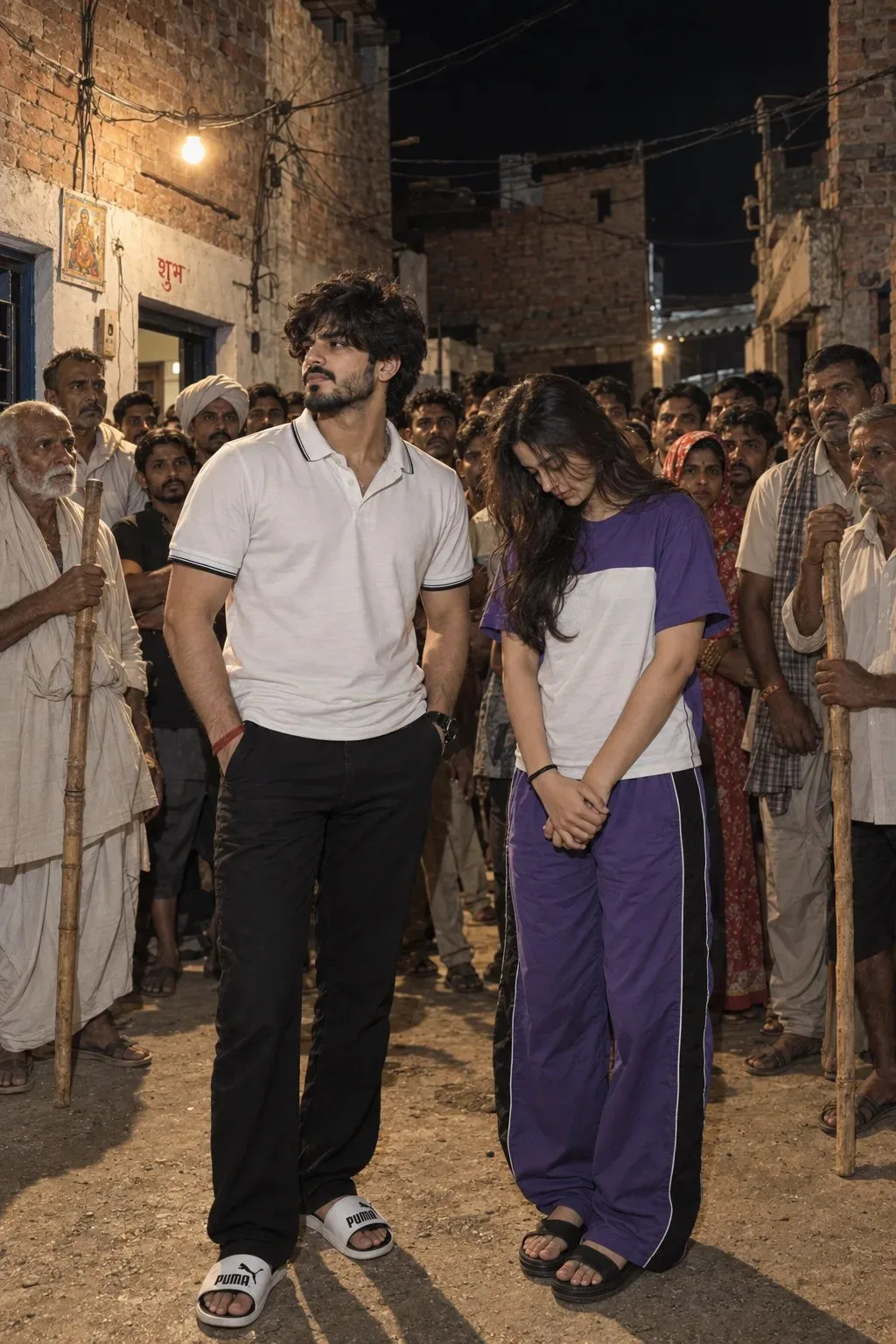
Create a photorealistic cinematic 8K HDR photograph in a vertical 2:3 composition, matching the uploaded photo. A young Indian man and young Indian woman stand in the foreground of a narrow rural Indian village courtyard at night, surrounded by a large crowd of villagers. The man has thick slightly messy black hair, a neatly trimmed beard, and wears a white polo shirt with black piping, black trousers, a black wristwatch, a red wristband, and white-and-black Puma slides. He stands confidently with one hand in his pocket, looking slightly to the side. The woman has long dark wavy hair and wears a purple and white color-block T-shirt with matching purple track pants featuring black side panels and black sandals. She stands modestly with her head lowered and hands clasped in front. Behind them is a dense group of Indian villagers of different ages, some holding long wooden sticks, creating a serious village gathering atmosphere. The background features unfinished reddish-brown brick houses, weathered walls, dark doorways, overhead electrical wires, and a single warm street bulb illuminating the scene. Authentic rural Indian environment, natural human expressions, realistic skin texture, detailed clothing and hair, documentary-style photography, balanced flash and ambient lighting, realistic shadows, sharp facial details, natural ar subtle depth of field, and highly detailed textures.
Scroll for more ↓
App: Grok Ratio: 2:3 0 copies

Related Prompts in Fun & Memes

More tested recipes in the same photography genre

View all →
Photo Reproduction Guide

How to Recreate This Photo in Grok

Follow this quick 4-step workflow to generate an identical visual style using the exact parameters tested for Realistic Prompt 🤫.

1

Copy the Recipe

Click the Copy Full Prompt button above. All key descriptors, lighting commands, and lens tags are copied directly to your clipboard.

2

Open Grok

Open your AI app (ChatGPT, Gemini, Meta AI, Grok, or Bing). Ensure you are in photo generation mode.

3

Set Canvas Ratio

Set the aspect ratio to 2:3 for matching composition.

4

Paste & Generate

Paste the prompt. Swap the subject details if you want a custom face while preserving identical lighting.

✓