Back to All Prompts
ChatGPT • 1:1
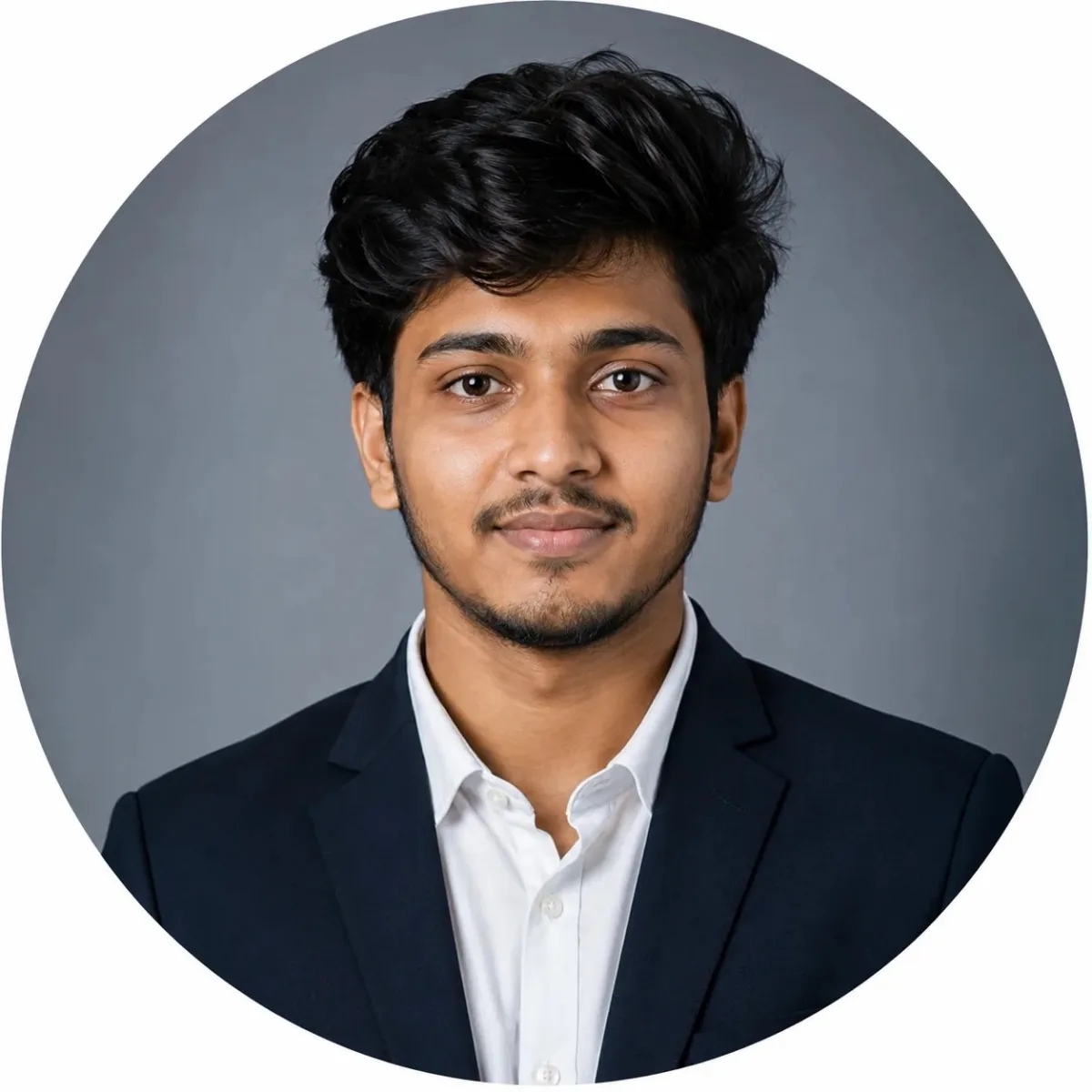
Professional LinkedIn Portrait — ChatGPT AI Photography Prompt Recipe on Faymas
Logo & Identity by Alex Rivera

Professional LinkedIn Portrait

Exact Prompt Recipe Scroll to read more
Use the uploaded reference photo as the primary identity reference. Create a highly photorealistic professional corporate headshot of the same person, preserving their real facial identity, facial proportions, natural skin tone, hairstyle, beard, and overall appearance. Dress the subject in a well-fitted dark navy blue suit jacket over a crisp white formal shirt. Keep exactly one shirt button open at the collar for a polished but approachable corporate appearance. No tie, no jewelry, and no distracting accessories. Give the subject a subtle, confident, approachable expression with a very slight natural closed-mouth smile. Maintain realistic facial proportions and natural beard detail. Slightly refine the facial appearance by reducing only a small amount of cheek fullness while preserving the person's authentic facial structure. Do not make the face unnaturally thin, sharp, or heavily retouched. Use a clean professional studio background with a smooth subtle light gray to blue-gray gradient. Illuminate the face evenly using soft, balanced studio lighting with gentle fill light. Keep both sides of the face clearly visible with natural highlights and controlled shadows. Add subtle definition around the jawline and cheekbones without creating dramatic shadows. Composition: centered head-and-shoulders corporate portrait, eye-level camera, direct confident gaze, symmetrical framing, slightly more breathing room around the head and shoulders, suitable for a LinkedIn circular profile-picture crop. Photography style: premium corporate studio photography, realistic DSLR camera quality, 85mm portrait lens, shallow natural depth of field, sharp eyes, detailed hair and beard, realistic skin texture, natural color grading, clean professional finish, high dynamic range, photorealistic. Keep the final image natural and believable, as if photographed by a professional corporate photographer. No text, no watermark, no logos, no excessive skin smoothing, no dramatic cinematic darkness, no artificial facial distortion, no exaggerated smile, no extra people, no background objects.
Scroll for more
App: ChatGPT Ratio: 1:1
Photo Reproduction Guide

How to Recreate This Photo in ChatGPT

Follow this quick 4-step workflow to generate an identical visual style using the exact parameters tested for Professional LinkedIn Portrait.

1

Copy the Recipe

Click the Copy Full Prompt button above. All key descriptors, lighting commands, and lens tags are copied directly to your clipboard.

2

Open ChatGPT

Open your ChatGPT app or web interface (e.g. ChatGPT chat, Bing Image Creator prompt bar, or Midjourney Discord).

3

Set 1:1 Ratio

Set your canvas size to 1:1. This gives you the natural composition shown above.

4

Customize Subject

Want your own face or a different subject? Simply change the character description or hair/clothing while keeping the lighting and camera tokens intact!

Pro Tip: To maintain this exact lighting in ChatGPT, keep the camera, aperture, and lighting keywords unmodified.
✓