Back to All Prompts
ChatGPT • 9:16
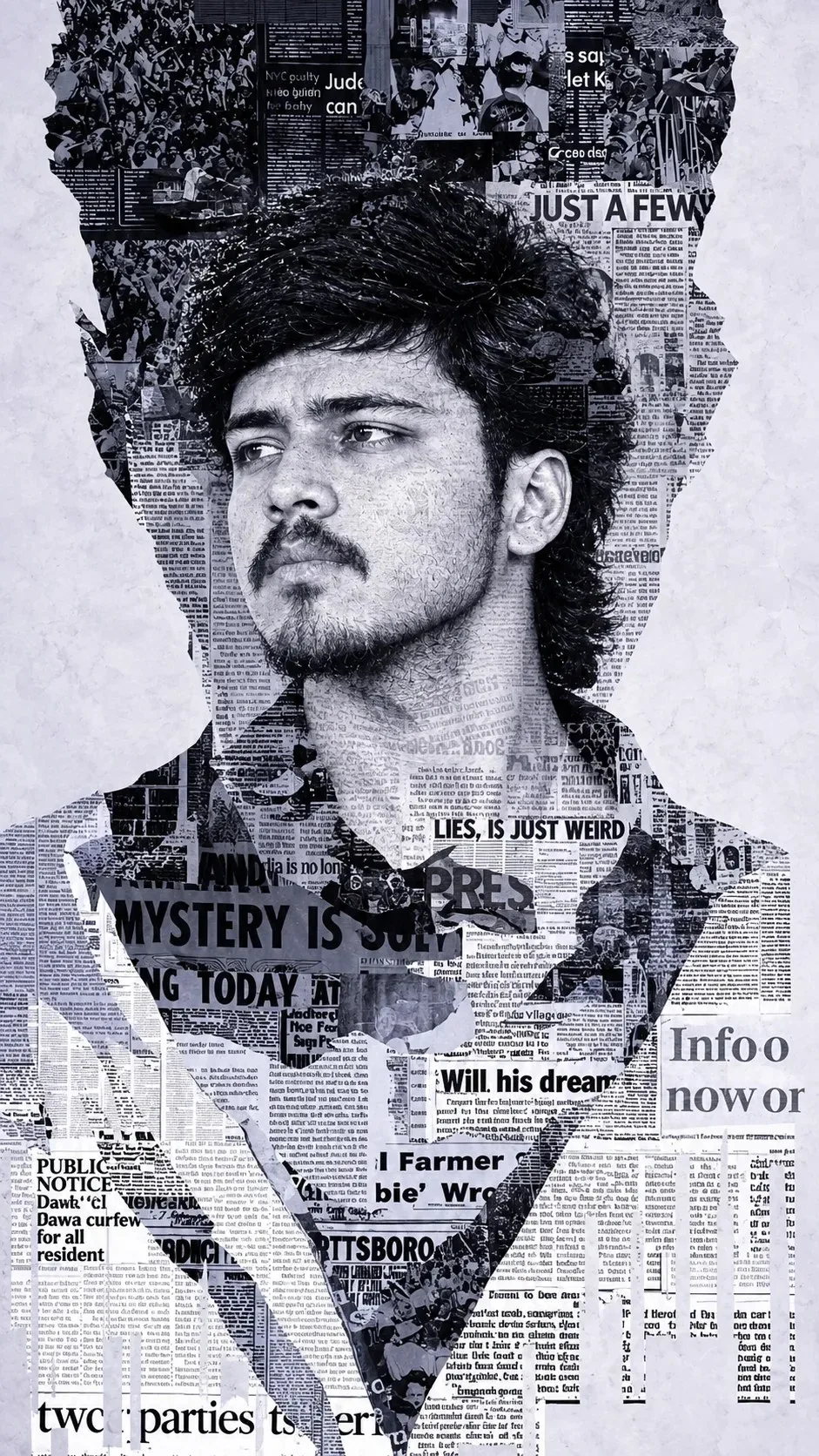
Newspaper Noir – Editorial Collage Portrait — ChatGPT AI Photography Prompt Recipe on Faymas
Product & Brand by Alex Rivera

Newspaper Noir – Editorial Collage Portrait

Exact Prompt Recipe Scroll to read more
Create a highly detailed black-and-white editorial portrait collage of a young Indian man, using the reference image for the exact facial identity, hairstyle, beard, facial structure and expression. Show the man in a three-quarter portrait, looking toward the left with a calm, serious and thoughtful expression. His entire silhouette should be constructed from layered torn newspaper clippings, with newspaper typography, headlines, photographs, columns and printed textures seamlessly forming his hair, face, neck, shirt and shoulders. Use a monochromatic black, white and soft gray color palette, with strong newspaper-print contrast and fine halftone texture. Surround the portrait with irregular torn-paper edges, creating the appearance of a handmade contemporary newspaper collage. Fill the background with additional overlapping newspaper fragments and editorial photographs while keeping the face clearly recognizable. Add subtle paper wrinkles, rough ripped edges, ink imperfections, grain and realistic printed texture. Include bold newspaper-style headlines and fragmented typography naturally across the composition, but keep the facial features readable and unobstructed. The overall design should feel like a luxury magazine editorial mixed with experimental street-art collage. Style: monochrome newspaper art, torn-paper collage, halftone printing, high-contrast portrait, vintage editorial aesthetic, conceptual fashion poster, realistic facial structure, intricate paper texture, dramatic composition, ultra-detailed, 4K, vertical 4:5 poster format.
Scroll for more
App: ChatGPT Ratio: 9:16
Photo Reproduction Guide

How to Recreate This Photo in ChatGPT

Follow this quick 4-step workflow to generate an identical visual style using the exact parameters tested for Newspaper Noir – Editorial Collage Portrait.

1

Copy the Recipe

Click the Copy Full Prompt button above. All key descriptors, lighting commands, and lens tags are copied directly to your clipboard.

2

Open ChatGPT

Open your ChatGPT app or web interface (e.g. ChatGPT chat, Bing Image Creator prompt bar, or Midjourney Discord).

3

Set 9:16 Ratio

Set your canvas size to 9:16. This gives you the natural composition shown above.

4

Customize Subject

Want your own face or a different subject? Simply change the character description or hair/clothing while keeping the lighting and camera tokens intact!


Pro Tip: To maintain this exact lighting in ChatGPT, keep the camera, aperture, and lighting keywords unmodified.
✓