Back to All Prompts
ChatGPT • 3:4
Minecraft environmental potrait prompt. — ChatGPT AI Photography Prompt Recipe on Faymas
Illustration & 3D by Alex Rivera

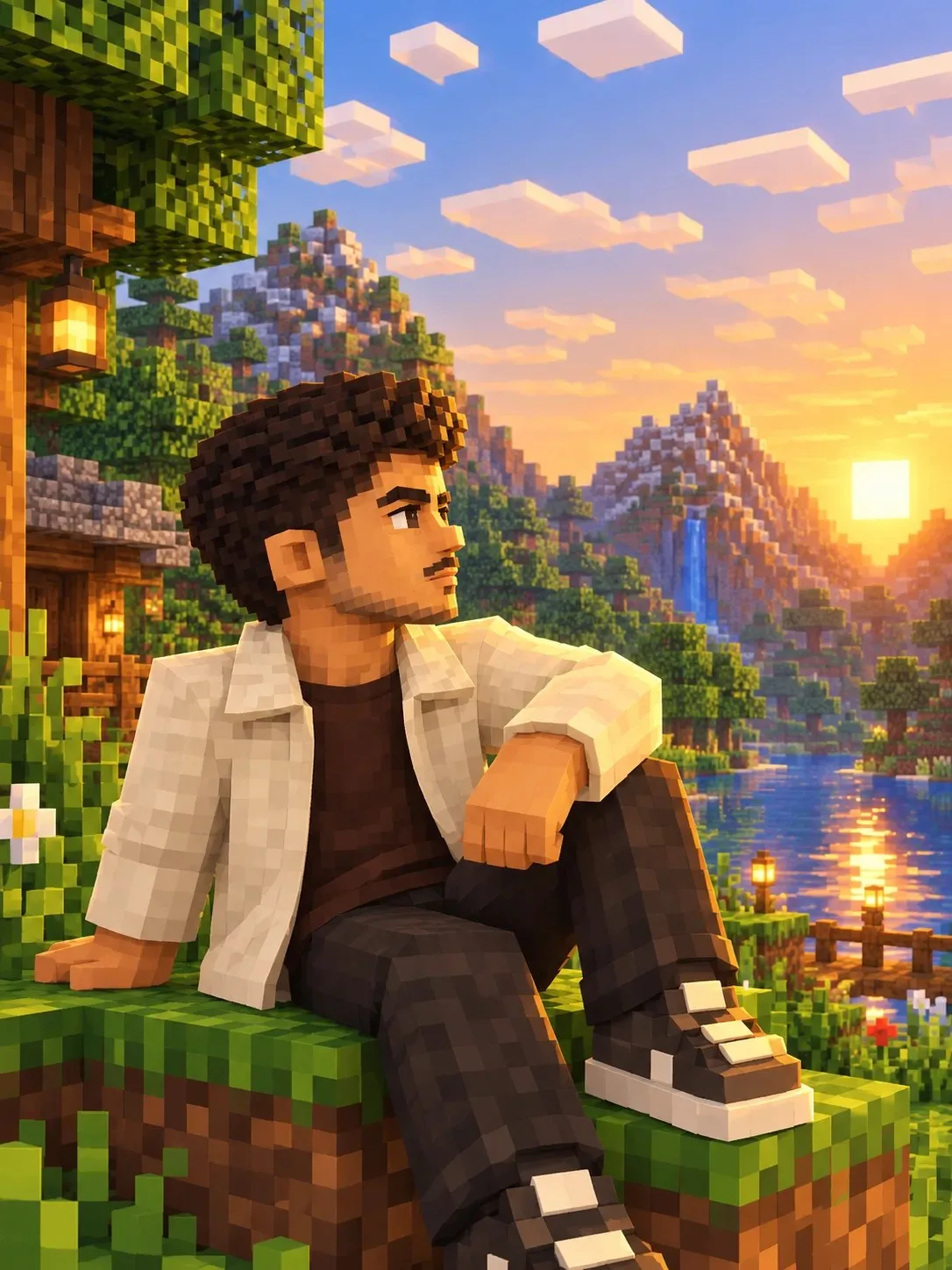
Minecraft environmental potrait prompt.

Exact Prompt Recipe Scroll to read more
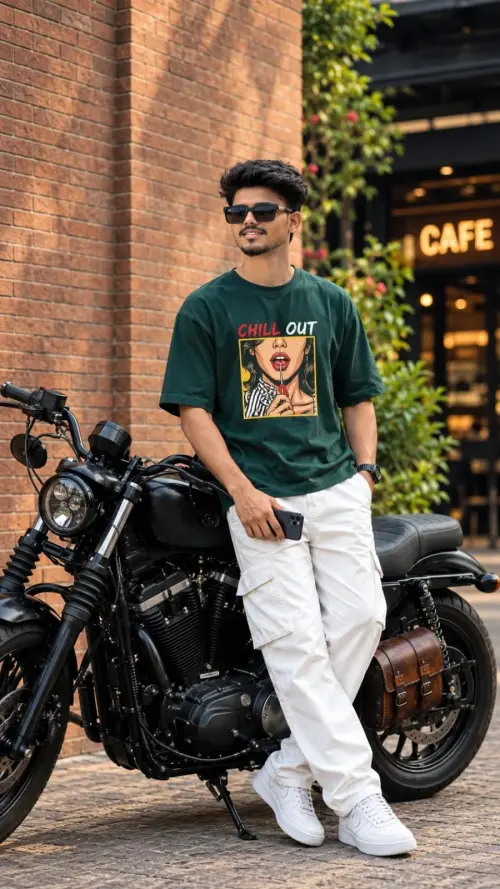
Prompt: Minecraft Cinematic Environmental Portrait — 3:4 Transform the person in the uploaded reference photo into an ultra-detailed, cinematic 3D Minecraft-style voxel character. Preserve the person’s recognizable facial features, hairstyle, skin tone, eyebrows, subtle moustache, and overall appearance, translated naturally into Minecraft block geometry. Character outfit: Cream/off-white jacket over a dark brown T-shirt, black trousers, and stylish black-and-white sneakers. Environment: A breathtaking Minecraft overworld at golden hour, featuring lush blocky forests, grassy hills, towering mountains, a snowy peak, cascading waterfalls, a reflective river, colorful pixel flowers, a wooden cabin, lanterns, floating cubic clouds, and a glowing sunset. Add realistic Minecraft shaders, warm golden rim lighting, ambient occlusion, detailed block textures, reflections, cinematic shadows, and atmospheric depth. Create a collection of different poses: 1. Sitting casually on a grassy cliff, looking toward the sunset. 2. Standing in profile with hands in jacket pockets, gazing across the valley. 3. Walking along a riverside block path, with a relaxed and confident expression. 4. Leaning against a Minecraft tree, looking thoughtfully toward the mountains. 5. Standing on a mountain ledge with one hand adjusting the jacket collar. Composition and quality: Vertical 3:4 aspect ratio, full-body and medium shots, varied camera angles, natural body language, stylish character framing, rich environmental storytelling, photorealistic 3D voxel rendering, ultra-detailed textures, Unreal Engine-quality lighting, cinematic color grading, sharp character details, beautiful depth of field, premium gaming wallpaper aesthetic. Each pose should feel like a separate cinematic photograph from the same Minecraft world. Keep the character’s outfit and appearance consistent across all poses. No text, no logos, no watermarks, no UI.
Scroll for more
App: ChatGPT Ratio: 3:4
Photo Reproduction Guide

How to Recreate This Photo in ChatGPT

Follow this quick 4-step workflow to generate an identical visual style using the exact parameters tested for Minecraft environmental potrait prompt..

1

Copy the Recipe

Click the Copy Full Prompt button above. All key descriptors, lighting commands, and lens tags are copied directly to your clipboard.

2

Open ChatGPT

Open your ChatGPT app or web interface (e.g. ChatGPT chat, Bing Image Creator prompt bar, or Midjourney Discord).

3

Set 3:4 Ratio

Set your canvas size to 3:4. This gives you the natural composition shown above.

4

Customize Subject

Want your own face or a different subject? Simply change the character description or hair/clothing while keeping the lighting and camera tokens intact!

Pro Tip: To maintain this exact lighting in ChatGPT, keep the camera, aperture, and lighting keywords unmodified.
✓