Back to All Prompts
Gemini • 3:4
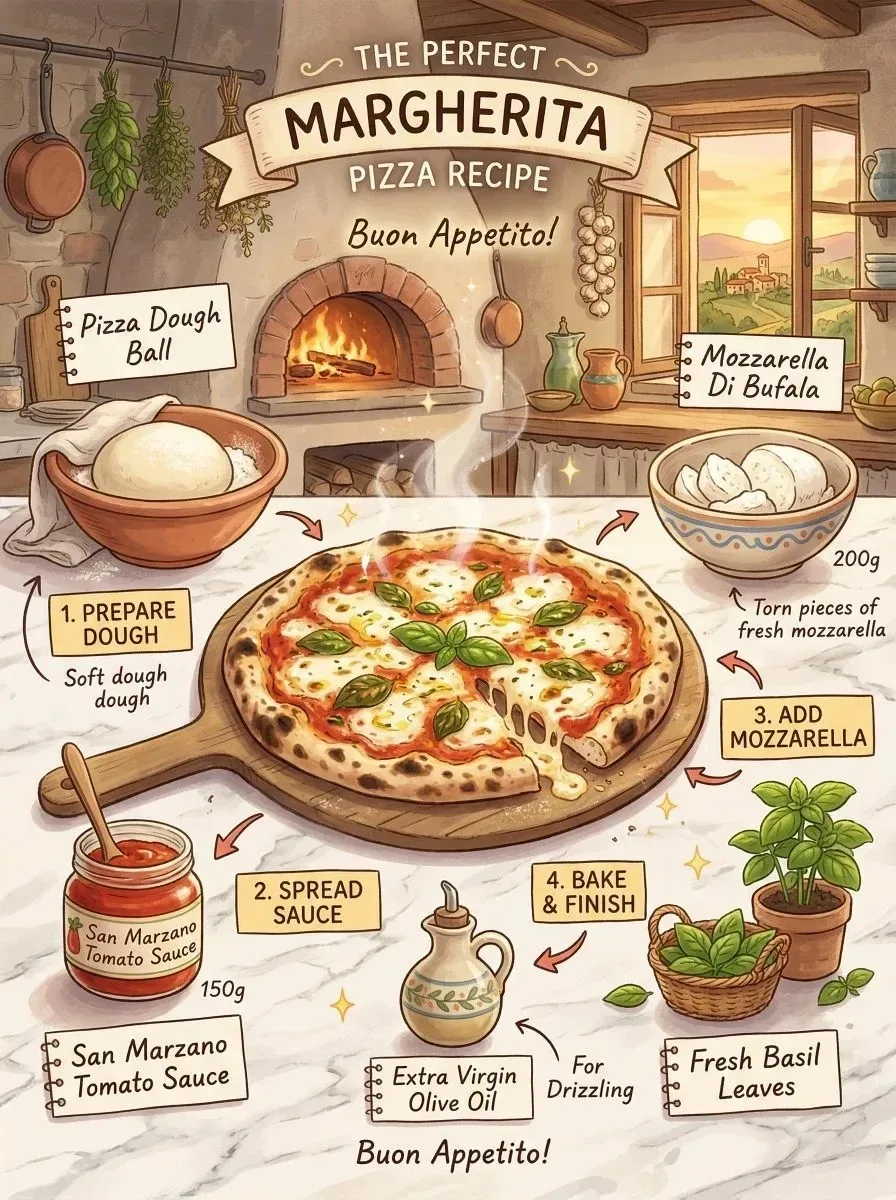
Margherita Pizza Recipe Infographic, Studio Ghibli Inspired Illustration Generate an infographic prompt featuring marghe — Gemini AI Photography Prompt Recipe on Faymas
UI & Graphic by Alex Rivera

Margherita Pizza Recipe Infographic, Studio Ghibli Inspired Illustration Generate an infographic prompt featuring marghe

Exact Prompt Recipe Scroll to read more
margherita pizza recipe infographic, Studio Ghibli inspired illustration, traditional Italian kitchen setting, warm golden sunset light, whole pizza in center with bubbling cheese, ingredients illustrated around in cute containers, dough ball, tomato sauce 150g, mozzarella 200g, fresh basil leaves, olive oil drizzle, handwritten notebook style labels, soft pastel tones, painterly textures, gentle steam and magical glow, whimsical cozy feeling, clean organized layout, readable text, high detail
Scroll for more
App: Gemini Ratio: 3:4

Suggested Prompts

More in UI & Graphic →
Photo Reproduction Guide

How to Recreate This Photo in Gemini

Follow this quick 4-step workflow to generate an identical visual style using the exact parameters tested for Margherita Pizza Recipe Infographic, Studio Ghibli Inspired Illustration Generate an infographic prompt featuring marghe.

1

Copy the Recipe

Click the Copy Full Prompt button above. All key descriptors, lighting commands, and lens tags are copied directly to your clipboard.

2

Open Gemini

Open your Gemini app or web interface (e.g. ChatGPT chat, Bing Image Creator prompt bar, or Midjourney Discord).

3

Set 3:4 Ratio

Set your canvas size to 3:4. This gives you the natural composition shown above.

4

Customize Subject

Want your own face or a different subject? Simply change the character description or hair/clothing while keeping the lighting and camera tokens intact!

Pro Tip: To maintain this exact lighting in Gemini, keep the camera, aperture, and lighting keywords unmodified.
✓