Back to All Prompts
Gemini • 1:1
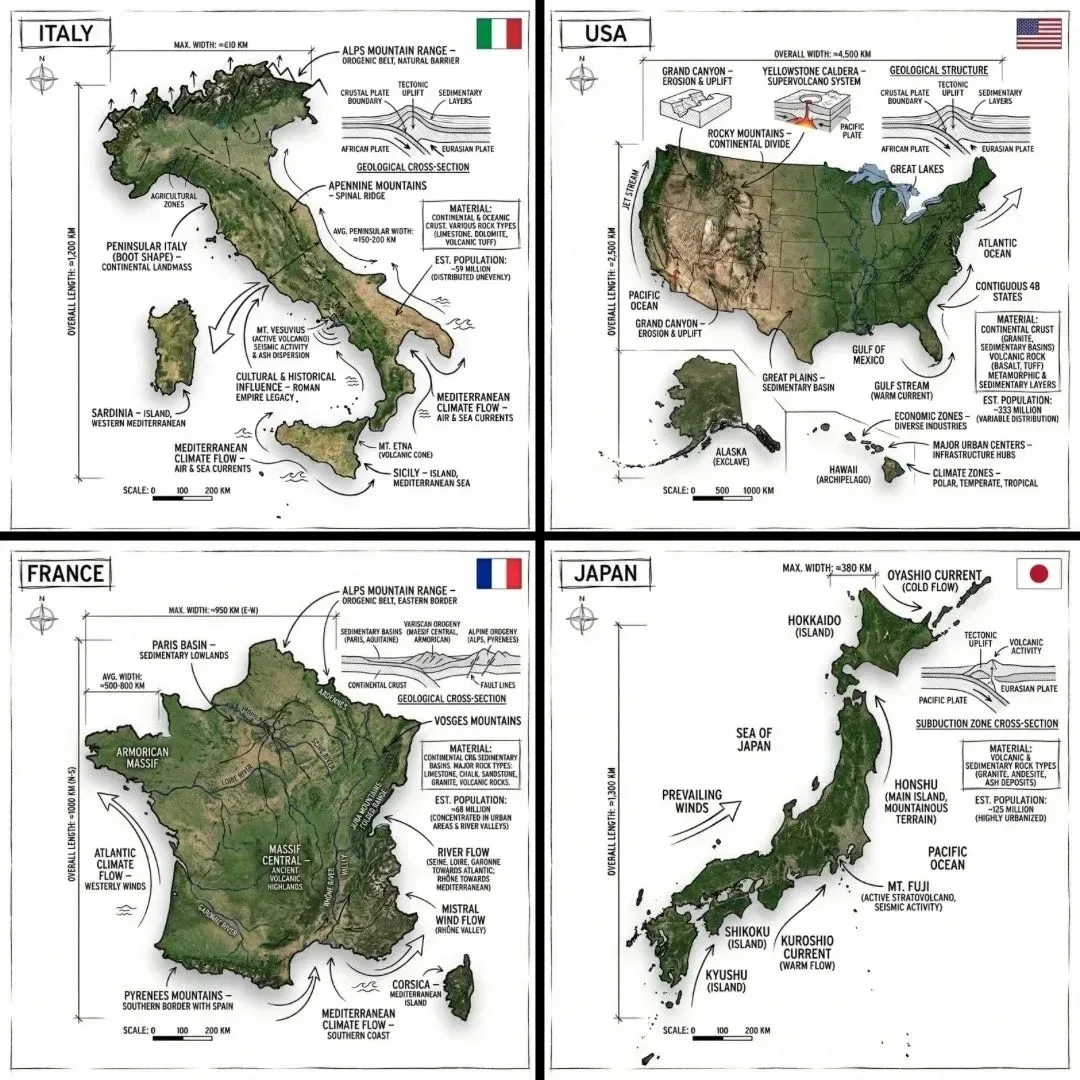
Infographic Image of COUNTRY, Combining a Realistic Photograph or Photoreal Render Create an infographic image of COUNTR — Gemini AI Photography Prompt Recipe on Faymas
UI & Graphic by Alex Rivera

Infographic Image of COUNTRY, Combining a Realistic Photograph or Photoreal Render Create an infographic image of COUNTR

Exact Prompt Recipe Scroll to read more
Create an infographic image of [COUNTRY], combining a realistic photograph or photoreal render of the object with technical annotation overlays placed directly on top. Use black ink–style line drawings and text (technical pen / architectural sketch look) on a pure white studio background, including: •Key component labels •Internal cutaway or exploded-view outlines •Measurements, dimensions, and scale markers •Material callouts and quantities •Arrows indicating function, force, or flow (air, sound, power, pressure) •Simple schematic or sectional diagrams where relevant Include a small flag of the country in the top right corner. Place the title [COUNTRY] inside a hand-drawn technical annotation box in one corner. Style & layout rules: •The real object remains clearly visible beneath the annotations •Annotations feel sketched, technical, and architectural •Clean composition with balanced negative space •Educational, museum-exhibit / engineering-manual vibe Visual style: Minimal technical illustration aesthetic, black linework over realistic imagery, precise but slightly hand-drawn feel. Color palette: White background, black annotation lines and text only. No colors. Output: 1080×1080, ultra-crisp, social-feed optimized, no watermark.
Scroll for more
App: Gemini Ratio: 1:1

Suggested Prompts

More in UI & Graphic →
Photo Reproduction Guide

How to Recreate This Photo in Gemini

Follow this quick 4-step workflow to generate an identical visual style using the exact parameters tested for Infographic Image of COUNTRY, Combining a Realistic Photograph or Photoreal Render Create an infographic image of COUNTR.

1

Copy the Recipe

Click the Copy Full Prompt button above. All key descriptors, lighting commands, and lens tags are copied directly to your clipboard.

2

Open Gemini

Open your Gemini app or web interface (e.g. ChatGPT chat, Bing Image Creator prompt bar, or Midjourney Discord).

3

Set 1:1 Ratio

Set your canvas size to 1:1. This gives you the natural composition shown above.

4

Customize Subject

Want your own face or a different subject? Simply change the character description or hair/clothing while keeping the lighting and camera tokens intact!


Pro Tip: To maintain this exact lighting in Gemini, keep the camera, aperture, and lighting keywords unmodified.
✓