Back to All Prompts
ChatGPT • 4:5
KP New version — ChatGPT AI Photography Prompt Recipe on Faymas
Illustration & 3D by Alex Rivera

KP New version

Exact Prompt Recipe Scroll to read more
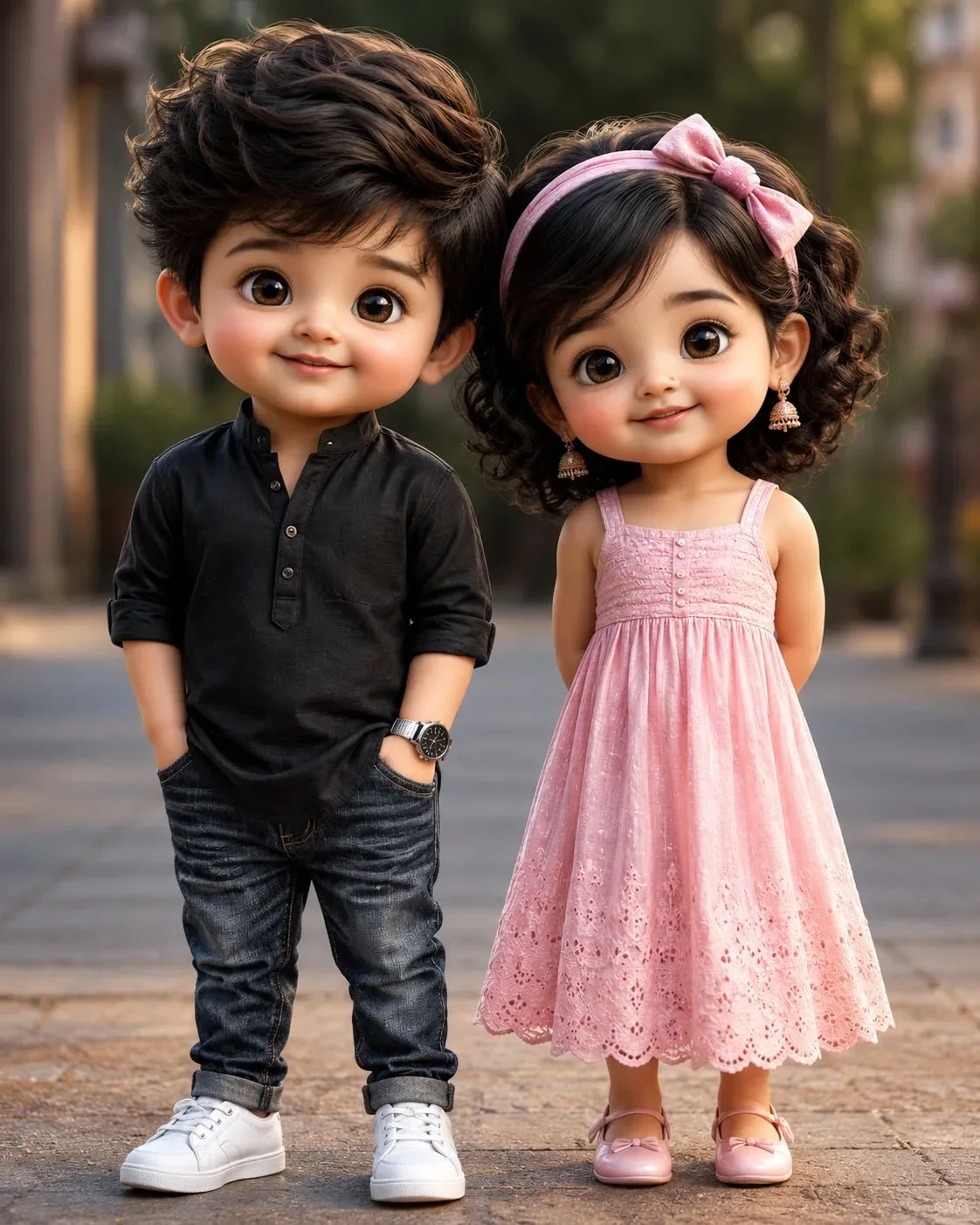
Kucchu–Pucchu New Version — Image Prompt Create a high-quality ultra-realistic 3D CGI portrait of Kucchu and Pucchu, the exact same canonical “Kucchu–Pucchu New Version” characters, standing together and looking directly at the camera. Kucchu: adorable toddler boy, cute round face, chubby cheeks, large expressive glossy brown eyes, fluffy dark-brown hair, small childlike proportions. He wears a black kurta-style shirt, dark blue jeans, white low-top sneakers, and a wristwatch. No nose ring, no earrings. Pucchu: adorable toddler girl, cute round face, chubby cheeks, large expressive glossy brown eyes, curly dark hair with a pink headband, cute childlike proportions. She wears a beautiful soft pink dress and pink shoes, with her signature earrings and tiny nathuni. Both characters must maintain exact facial identity, hairstyle, body proportions, skin tone, eye shape, and overall appearance throughout the image. They should look cute, innocent, premium and cinematic. Visual style: ultra-realistic high-end 3D CGI, cinematic Pixar-inspired quality, detailed skin and hair, realistic fabric textures, glossy expressive eyes, soft natural lighting, cinematic depth of field, beautiful background bokeh, HDR, 8K quality, highly detailed, professional character render. Composition: full-body shot, both characters standing side-by-side, Kucchu on the left and Pucchu on the right, natural cute expressions, warm cinematic atmosphere, vertical 9:16 composition, centered framing, no text, no watermark, no logo. IMPORTANT: Keep Kucchu and Pucchu's New Version identity perfectly consistent. Do not change their faces, hairstyles, proportions or signature features.
Scroll for more
App: ChatGPT Ratio: 4:5
Photo Reproduction Guide

How to Recreate This Photo in ChatGPT

Follow this quick 4-step workflow to generate an identical visual style using the exact parameters tested for KP New version.

1

Copy the Recipe

Click the Copy Full Prompt button above. All key descriptors, lighting commands, and lens tags are copied directly to your clipboard.

2

Open ChatGPT

Open your ChatGPT app or web interface (e.g. ChatGPT chat, Bing Image Creator prompt bar, or Midjourney Discord).

3

Set 4:5 Ratio

Set your canvas size to 4:5. This gives you the natural composition shown above.

4

Customize Subject

Want your own face or a different subject? Simply change the character description or hair/clothing while keeping the lighting and camera tokens intact!


Pro Tip: To maintain this exact lighting in ChatGPT, keep the camera, aperture, and lighting keywords unmodified.
✓