Back to All Prompts
ChatGPT • 1:1
💜✨ Dreamy Purple Pop-Art Portrait ✨💜 — ChatGPT AI Photography Prompt Recipe on Faymas
Logo & Identity by Alex Rivera

💜✨ Dreamy Purple Pop-Art Portrait ✨💜

Exact Prompt Recipe Scroll to read more
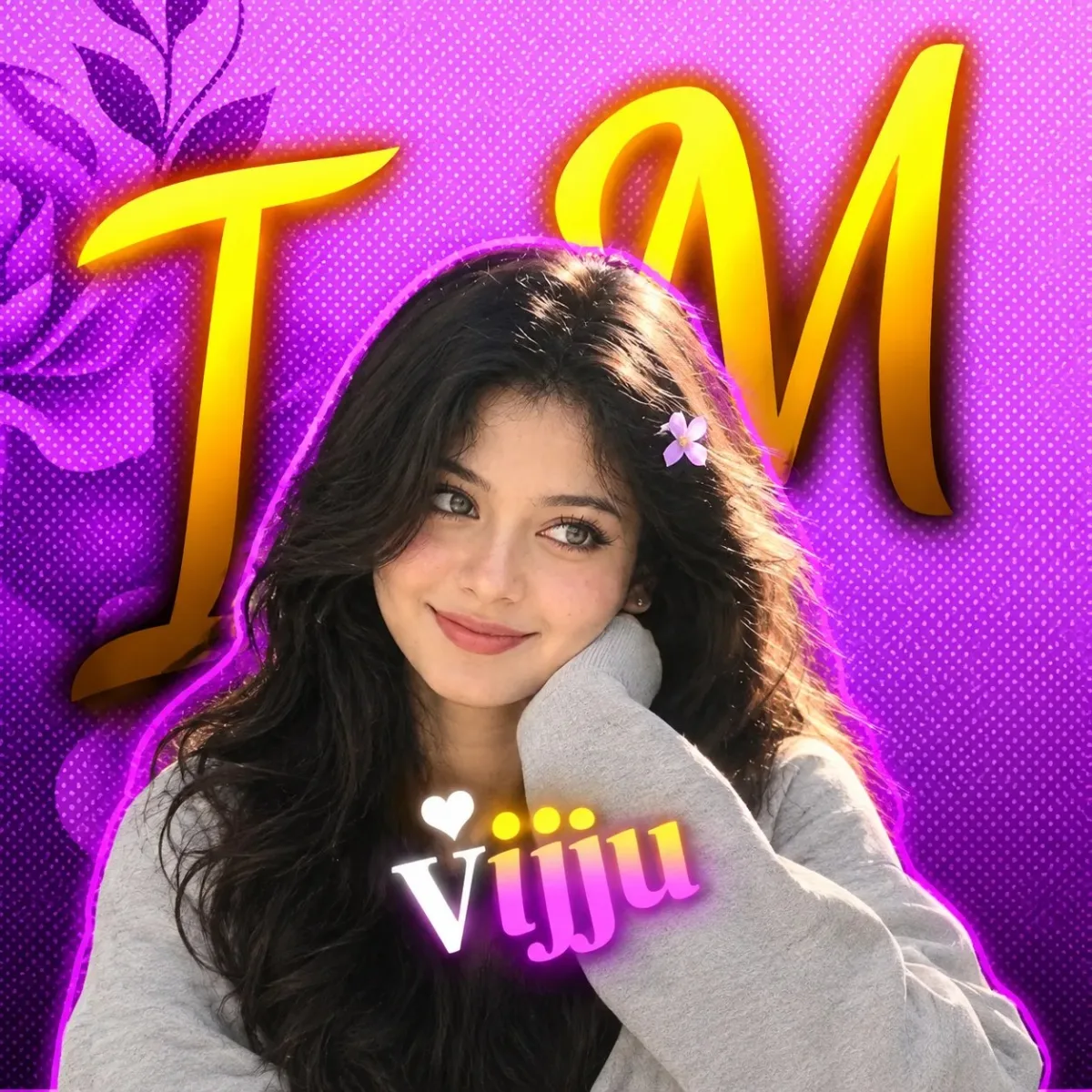
Create an ultra-realistic, high-resolution cinematic portrait using the uploaded image as the EXACT visual reference. Keep the SAME woman, SAME face, SAME identity, SAME facial proportions, SAME hairstyle, SAME hair color, SAME expression, SAME pose, SAME hand placement, SAME clothing, SAME framing, SAME camera angle, SAME background composition, and SAME overall visual style as the reference. The woman has long, thick, dark-brown/black wavy hair, naturally framing her face. She is shown in a close-up/medium portrait, looking slightly toward the side with a calm, dreamy, slightly pouty expression. One hand is gently resting against her cheek, with the sleeve covering most of her arm. Preserve the exact position of her fingers and hand. She is wearing a soft light-gray oversized long-sleeve top, with realistic fabric folds and natural texture. Recreate the background exactly in the same aesthetic: a vibrant purple/pink pop-art backdrop with dense halftone dots, decorative dark-purple floral elements on the left, and large bold golden-yellow stylized lettering behind the subject. Add the same glowing purple/pink outline around the woman and the same warm yellow/orange glow around the background lettering. Preserve the white heart symbol and “UR NAME” text overlay near the lower center exactly as shown in the reference, including the white “UR”, pink/yellow “NAME”, heart symbol, typography style, glow, and placement. Use natural realistic skin texture, detailed eyes, realistic lips, individual hair strands, accurate hands and fingers, realistic clothing texture, soft cinematic lighting, subtle glow, high detail, sharp subject focus, and authentic photographic depth. Do not change the woman's identity or facial structure. Do not slim or reshape her face. Do not over-beautify. No plastic skin, no excessive beauty filter, no cartoon/anime/CGI appearance, no distorted hands, no extra fingers, no altered pose, no different hairstyle, no different background, no changed text, no blurry face.
Scroll for more
App: ChatGPT Ratio: 1:1
Photo Reproduction Guide

How to Recreate This Photo in ChatGPT

Follow this quick 4-step workflow to generate an identical visual style using the exact parameters tested for 💜✨ Dreamy Purple Pop-Art Portrait ✨💜.

1

Copy the Recipe

Click the Copy Full Prompt button above. All key descriptors, lighting commands, and lens tags are copied directly to your clipboard.

2

Open ChatGPT

Open your ChatGPT app or web interface (e.g. ChatGPT chat, Bing Image Creator prompt bar, or Midjourney Discord).

3

Set 1:1 Ratio

Set your canvas size to 1:1. This gives you the natural composition shown above.

4

Customize Subject

Want your own face or a different subject? Simply change the character description or hair/clothing while keeping the lighting and camera tokens intact!

Pro Tip: To maintain this exact lighting in ChatGPT, keep the camera, aperture, and lighting keywords unmodified.
✓