Back to All Prompts
ChatGPT • 5:4
Celebrity Group Photo – Face Replacement Edit — ChatGPT AI Photography Prompt Recipe on Faymas
Presentation by Alex Rivera

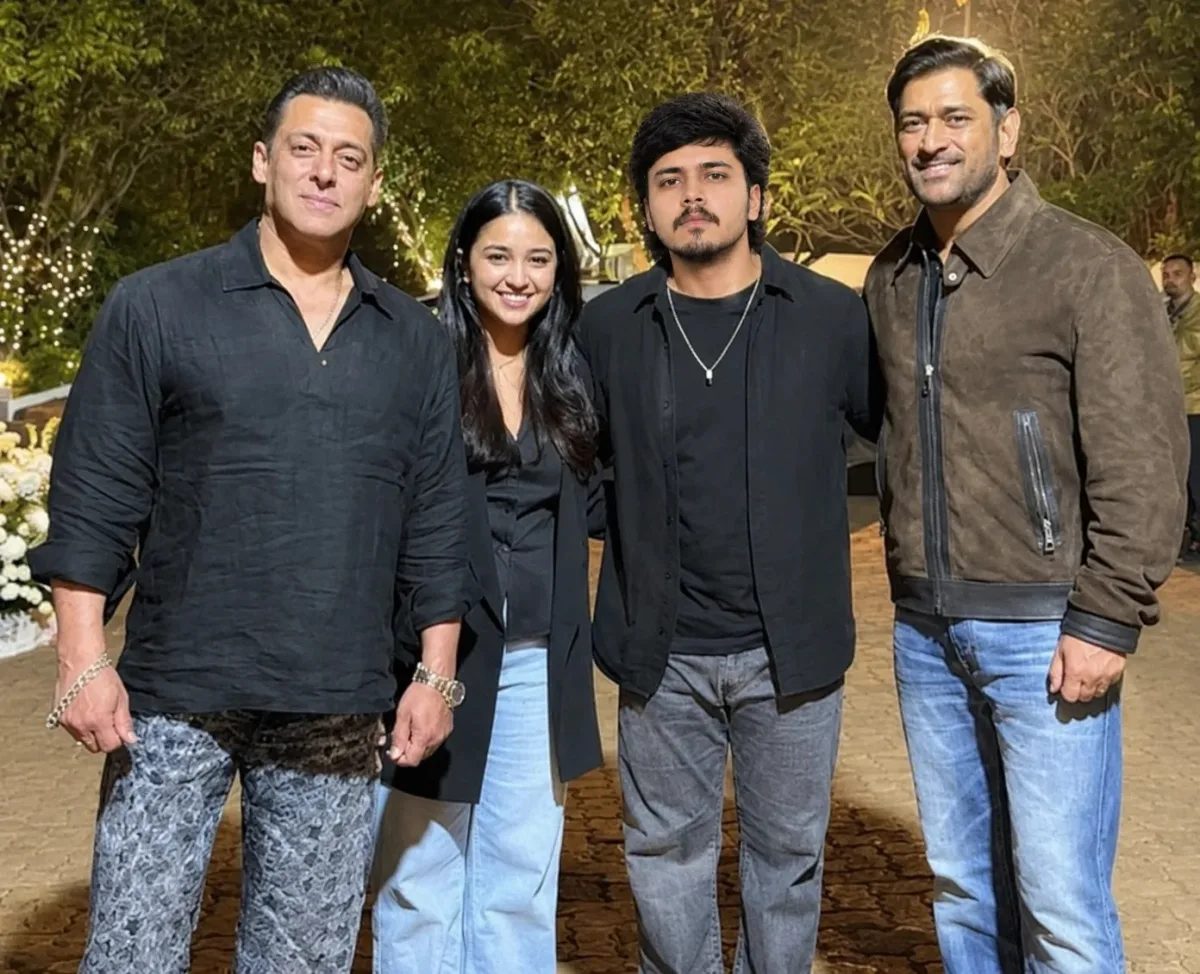
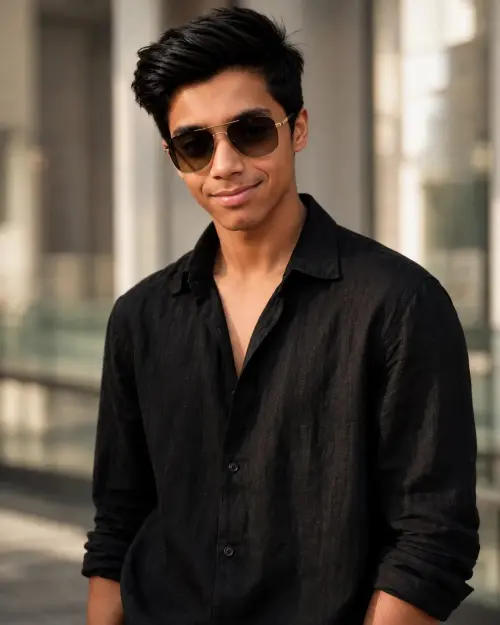
Celebrity Group Photo – Face Replacement Edit

Exact Prompt Recipe Scroll to read more
Use Image 1 as the main group-photo scene and Image 2 as the face reference. Replace only the face of the young man standing in the center with the face from Image 2. Preserve his identity-defining facial features, hairstyle, beard/moustache, and natural skin texture from the reference. Keep the original pose, body, clothing, accessories, expression, lighting, background, camera angle, composition, and all other people exactly unchanged. Make the face replacement highly realistic and seamless, with accurate skin tone, proportions, shadows, and lighting matching the original photo. Do not alter any other part of the image. Photorealistic, natural evening photography, high detail, realistic facial blending.
Scroll for more
App: ChatGPT Ratio: 5:4

Suggested Prompts

More in Presentation →
Photo Reproduction Guide

How to Recreate This Photo in ChatGPT

Follow this quick 4-step workflow to generate an identical visual style using the exact parameters tested for Celebrity Group Photo – Face Replacement Edit.

1

Copy the Recipe

Click the Copy Full Prompt button above. All key descriptors, lighting commands, and lens tags are copied directly to your clipboard.

2

Open ChatGPT

Open your ChatGPT app or web interface (e.g. ChatGPT chat, Bing Image Creator prompt bar, or Midjourney Discord).

3

Set 5:4 Ratio

Set your canvas size to 5:4. This gives you the natural composition shown above.

4

Customize Subject

Want your own face or a different subject? Simply change the character description or hair/clothing while keeping the lighting and camera tokens intact!


Pro Tip: To maintain this exact lighting in ChatGPT, keep the camera, aperture, and lighting keywords unmodified.
✓