Back to All Prompts
ChatGPT • 1:1
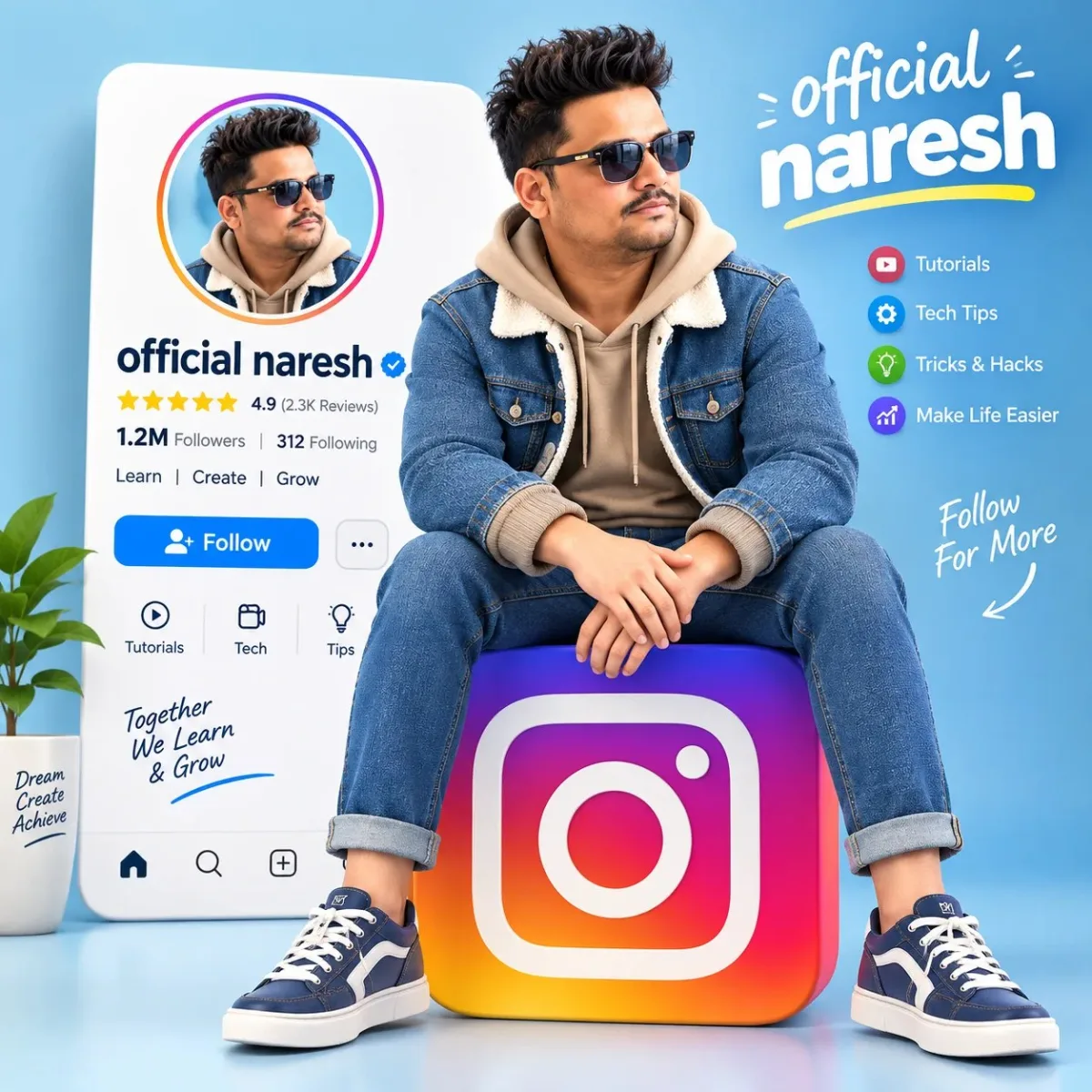
“3D Instagram Tutorial Creator – official naresh” — ChatGPT AI Photography Prompt Recipe on Faymas
Illustration & 3D by Alex Rivera

“3D Instagram Tutorial Creator – official naresh”

Exact Prompt Recipe Scroll to read more
Create a high-quality 3D animated promotional illustration of a cute, stylish young male character sitting casually on a large Instagram logo.** The character has voluminous dark brown swept-back hair, large expressive blue eyes, a friendly subtle smile, and smooth polished 3D cartoon features. He is wearing a beige/tan hoodie underneath a blue denim jacket with cream shearling collar, matching blue denim pants with rolled cuffs, and blue-and-white casual sneakers. He sits relaxed with his legs apart and both hands naturally crossed over his knees. Behind him is a large white social-media profile/tutorial card with a circular profile image of the same character, the title “SP Tutorial”, a star rating, follower/count details, interface buttons, and subtle social-media UI elements. Place a large colorful Instagram-style gradient logo prominently underneath and behind the character. Use a clean pastel light-blue background, soft studio lighting, realistic shadows, glossy 3D materials, smooth rounded forms, cinematic composition, vibrant but elegant colors, depth of field, highly detailed character, professional social-media advertising artwork, 4K Ultra HD, sharp details, vertical square composition, polished 3D animation style. Text should be clean and readable, especially “official naresh”. Avoid distorted or random lettering.
Scroll for more
App: ChatGPT Ratio: 1:1
Photo Reproduction Guide

How to Recreate This Photo in ChatGPT

Follow this quick 4-step workflow to generate an identical visual style using the exact parameters tested for “3D Instagram Tutorial Creator – official naresh”.

1

Copy the Recipe

Click the Copy Full Prompt button above. All key descriptors, lighting commands, and lens tags are copied directly to your clipboard.

2

Open ChatGPT

Open your ChatGPT app or web interface (e.g. ChatGPT chat, Bing Image Creator prompt bar, or Midjourney Discord).

3

Set 1:1 Ratio

Set your canvas size to 1:1. This gives you the natural composition shown above.

4

Customize Subject

Want your own face or a different subject? Simply change the character description or hair/clothing while keeping the lighting and camera tokens intact!


Pro Tip: To maintain this exact lighting in ChatGPT, keep the camera, aperture, and lighting keywords unmodified.
✓