 Gemini
Nano Banana Prompts
Nano Banana is the nickname of Google's Gemini image model — the one that went viral for keeping faces consistent. These prompts are written for it: upload your photo, paste, and get a realistic edit with your face unchanged.
Gemini
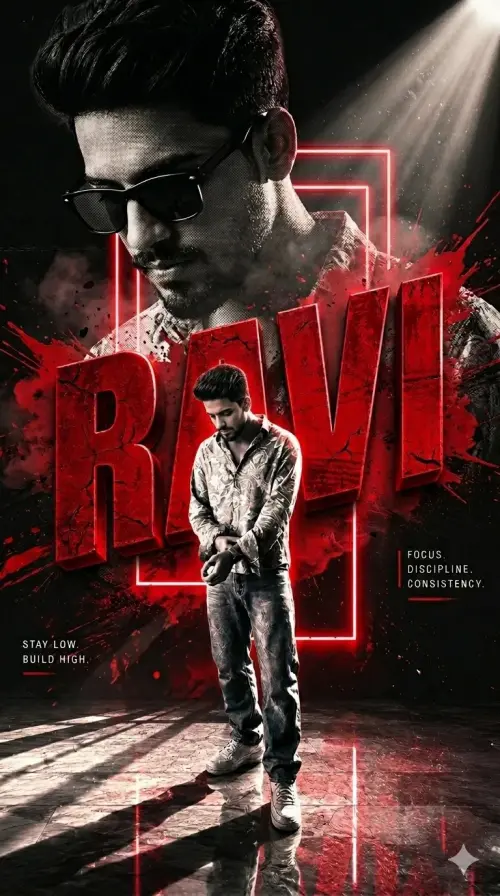 Gemini
Ultra-Premium Cinematic Poster
Illustration & 3D
 Gemini
 Gemini
Vintage Man in White Shirt & Sunglasses.
Illustration & 3D
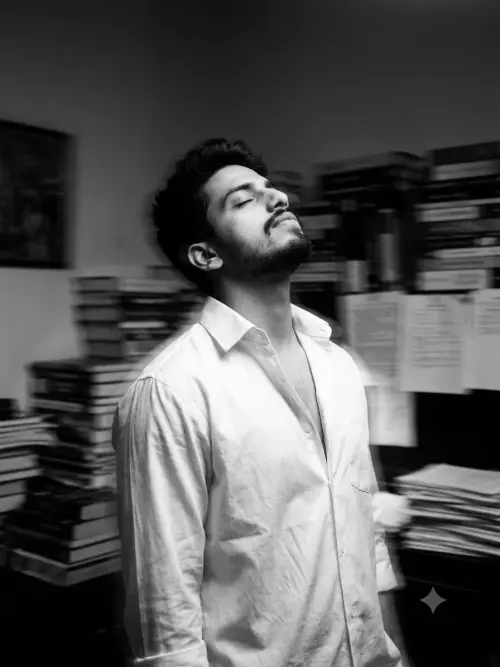 Gemini
Black & White Lost Soul Portrait
Illustration & 3D
 Gemini
Cute 3D CGI style for Ganesha - Ai Prompt
Illustration & 3D
 Gemini
Lost in thoughts, found in silence. 🖤
Illustration & 3D
 Gemini
Mirror Cinematic Prompt 🔥
Illustration & 3D
 Gemini
 Gemini
Kuldeep Meena
Illustration & 3D
Nano Banana Prompts
Nano Banana Prompts
What is Nano Banana?
Nano Banana is the community nickname for Google's Gemini image editing model. It became famous for one skill that older tools were bad at: editing a photo while keeping the person in it recognisably the same. Change the outfit, change the place, change the light — the face stays your face.
How to use a Nano Banana prompt
- Copy a prompt from this page, the full text including the negative section
- Open the Gemini app or gemini.google.com and upload one clear photo of yourself
- Paste the prompt and send
- Download the result at full size and check the face and hands
Gemini is fast, so try a few styles in one sitting. If a long prompt loses some details, shorten it a little but keep the identity lock line at the top — that line does the heavy lifting.
Tips for the most realistic results
Nano Banana looks best with natural instructions: real camera language, natural skin texture, and honest light. Ask for a candid photo look instead of a perfect studio look, and avoid heavy beauty words. Our realism guide on Faymas explains the full approach, with the exact lines to add when a photo comes out looking too smooth or fake.
Every prompt in the grid below is filtered for Gemini, which is the model behind Nano Banana, so each one is ready to paste straight into Gemini.
Frequently Asked Questions about Nano Banana Prompts
Nano Banana is the nickname for Google's Gemini image model. It is known for editing photos while keeping the person's face consistent, which is why it became popular for AI photo prompts.
Yes. Nano Banana runs inside Gemini, so any prompt written for Gemini works as a Nano Banana prompt. The grid on this page is filtered to Gemini-ready prompts.
Gemini offers free image editing with daily limits that change over time. The prompts on this page are free to copy and use.
Usually the uploaded photo was too dark, filtered, or taken from the side. Use a bright front-facing photo and keep the identity lock line at the top of the prompt. Our identity lock guide covers the fixes in detail.
A clear selfie or half-body photo in daylight, face looking at the camera, no sunglasses and no beauty filter. One clean photo reused across prompts beats ten stylish ones.