Back to All Prompts
ChatGPT • 2:3
Tum Se Hi – Warm Cinematic Portrait Collage — ChatGPT AI Photography Prompt Recipe on Faymas
Poster Design by Alex Rivera

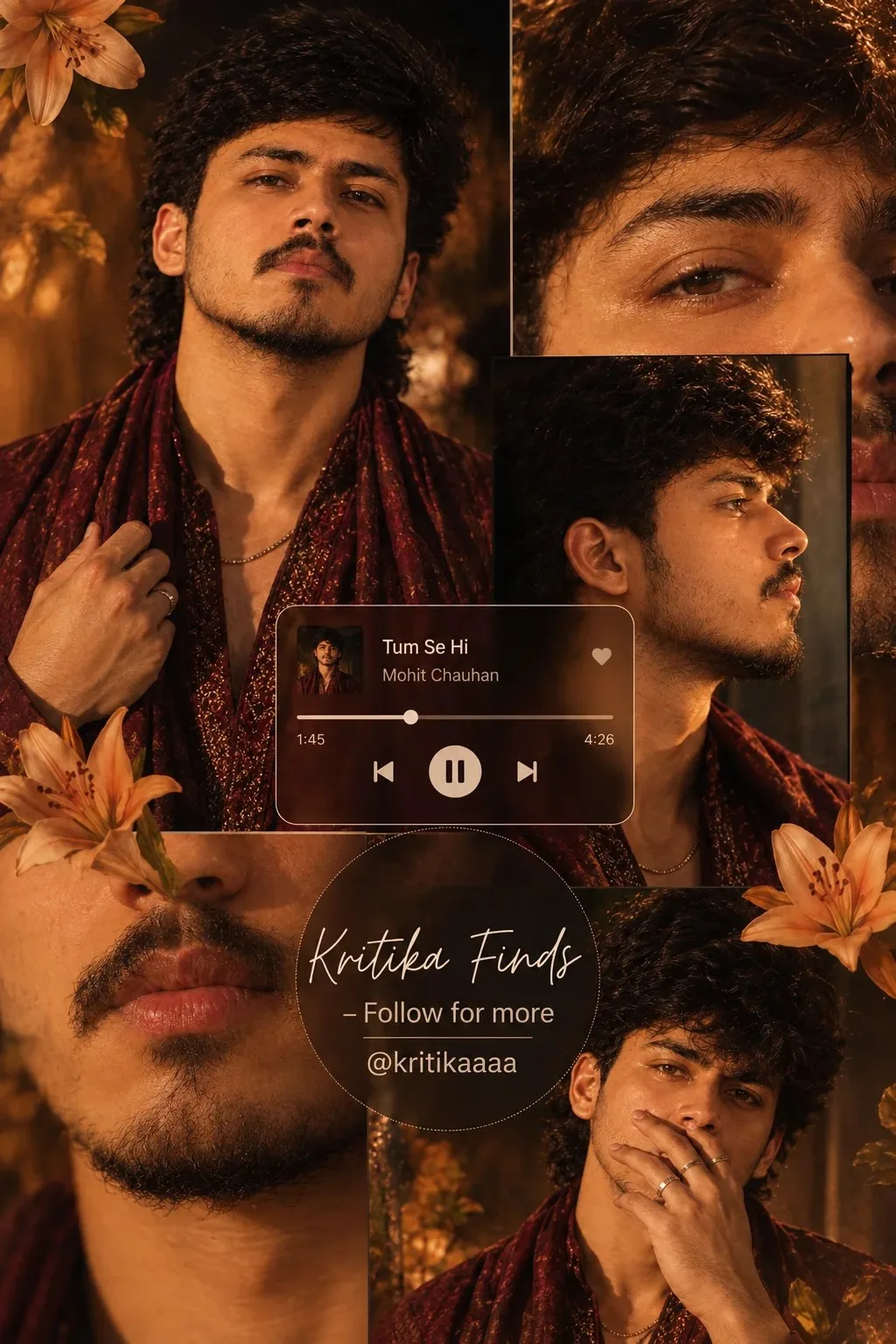
Tum Se Hi – Warm Cinematic Portrait Collage

Exact Prompt Recipe Scroll to read more
Create a high-end cinematic portrait collage of the same young Indian man, maintaining the exact same facial identity, hairstyle, beard, skin tone, and facial features throughout every frame. Use a rich warm amber, dark brown and deep burgundy color palette with dramatic golden cinematic lighting. The subject wears a dark burgundy/red shimmering textured scarf or stole draped around his shoulders, paired with a dark outfit, subtle chain necklace, and rings. Create a multi-photo editorial collage with: Large central portrait: looking slightly upward toward the camera with a calm, intense expression, one hand holding the scarf near his chest. Upper-right close-up: extreme close-up focusing on his eyes and upper face with detailed skin texture and warm highlights. Right-side portrait: strong side-profile view, looking toward the right, dramatic rim lighting on the face. Lower-left close-up: detailed crop of his lips, moustache and beard with a warm cinematic glow. Bottom-right portrait: relaxed pose with fingers near his lips, looking toward the camera with a thoughtful expression. Add orange lilies/flowers naturally around the collage edges and corners, blending into the composition. Background should feel like a dark dreamy forest with warm golden bokeh, subtle shadows, atmospheric depth and glowing highlights. In the center, add a realistic music-player card displaying: “Tum Se Hi” “Mohit Chauhan” with a progress bar and playback controls. At the bottom center, add a stylish circular dark translucent badge with elegant handwritten typography: “Kritika Finds” “— Follow for more” “@kritikaaaa” Keep the typography clean and readable. Overall look: luxury Instagram music-edit aesthetic, romantic cinematic mood, warm vintage film color grading, realistic skin texture, glossy highlights, shallow depth of field, professional editorial photography, ultra-detailed, photorealistic, 4K, vertical 4:5 composition.
Scroll for more
App: ChatGPT Ratio: 2:3

Suggested Prompts

More in Poster Design →
Photo Reproduction Guide

How to Recreate This Photo in ChatGPT

Follow this quick 4-step workflow to generate an identical visual style using the exact parameters tested for Tum Se Hi – Warm Cinematic Portrait Collage.

1

Copy the Recipe

Click the Copy Full Prompt button above. All key descriptors, lighting commands, and lens tags are copied directly to your clipboard.

2

Open ChatGPT

Open your ChatGPT app or web interface (e.g. ChatGPT chat, Bing Image Creator prompt bar, or Midjourney Discord).

3

Set 2:3 Ratio

Set your canvas size to 2:3. This gives you the natural composition shown above.

4

Customize Subject

Want your own face or a different subject? Simply change the character description or hair/clothing while keeping the lighting and camera tokens intact!


Pro Tip: To maintain this exact lighting in ChatGPT, keep the camera, aperture, and lighting keywords unmodified.
✓