Back to All Prompts
ChatGPT • 9:16
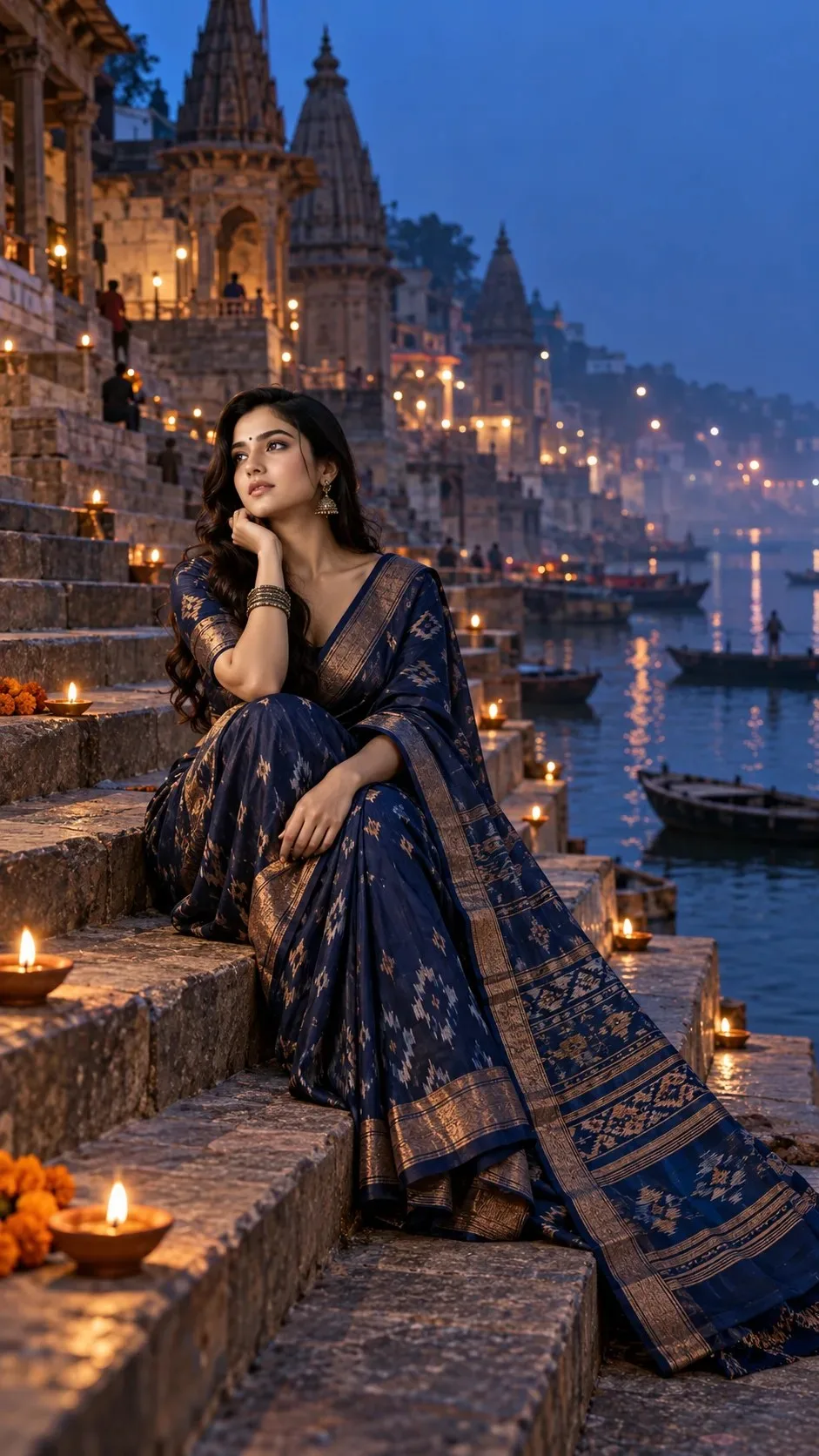
The Blue Hour Ghat — Indigo Heritage Portrait — ChatGPT AI Photography Prompt Recipe on Faymas
Presentation by Alex Rivera

The Blue Hour Ghat — Indigo Heritage Portrait

Exact Prompt Recipe Scroll to read more
Scene: A quiet riverside ghat at blue hour, with stone steps descending toward still water. Style: Contemporary Indian heritage editorial. Lighting: Cool twilight with small warm lamps along the steps. Mood: Serene, timeless, contemplative. Colors: Indigo, sandstone, muted saffron, bronze and charcoal. Composition: 9:16; long vertical staircase perspective with the subject positioned slightly below center. Prompt: Create an ultra-realistic premium 9:16 cinematic Indian portrait using the uploaded/reference person as the ONLY facial identity reference. Preserve the exact identity with identical face shape, eyes, brows, nose, lips, cheeks, jawline, skin tone, hairline, age and natural proportions. No beautification, facial reshaping, slimming, aging or identity alteration. Place the subject on an ancient riverside ghat during blue hour. Dress her in a refined indigo handwoven saree with a muted bronze border, traditional blouse and understated antique jewelry. The stone steps should descend dramatically toward calm dark water. Place a small number of warm oil lamps naturally along the steps, creating tiny amber points against the cool twilight. Use soft blue ambient light across the architecture with gentle warm illumination on the subject's face. Slight atmospheric haze above the river, realistic stone weathering and subtle water reflections. Vertical 9:16 cinematic composition, elegant negative space, natural expression, authentic textile detail and high-end Indian editorial photography.
Scroll for more
App: ChatGPT Ratio: 9:16

Suggested Prompts

More in Presentation →
Photo Reproduction Guide

How to Recreate This Photo in ChatGPT

Follow this quick 4-step workflow to generate an identical visual style using the exact parameters tested for The Blue Hour Ghat — Indigo Heritage Portrait.

1

Copy the Recipe

Click the Copy Full Prompt button above. All key descriptors, lighting commands, and lens tags are copied directly to your clipboard.

2

Open ChatGPT

Open your ChatGPT app or web interface (e.g. ChatGPT chat, Bing Image Creator prompt bar, or Midjourney Discord).

3

Set 9:16 Ratio

Set your canvas size to 9:16. This gives you the natural composition shown above.

4

Customize Subject

Want your own face or a different subject? Simply change the character description or hair/clothing while keeping the lighting and camera tokens intact!

Pro Tip: To maintain this exact lighting in ChatGPT, keep the camera, aperture, and lighting keywords unmodified.
✓