Back to All Prompts
ChatGPT • 9:16
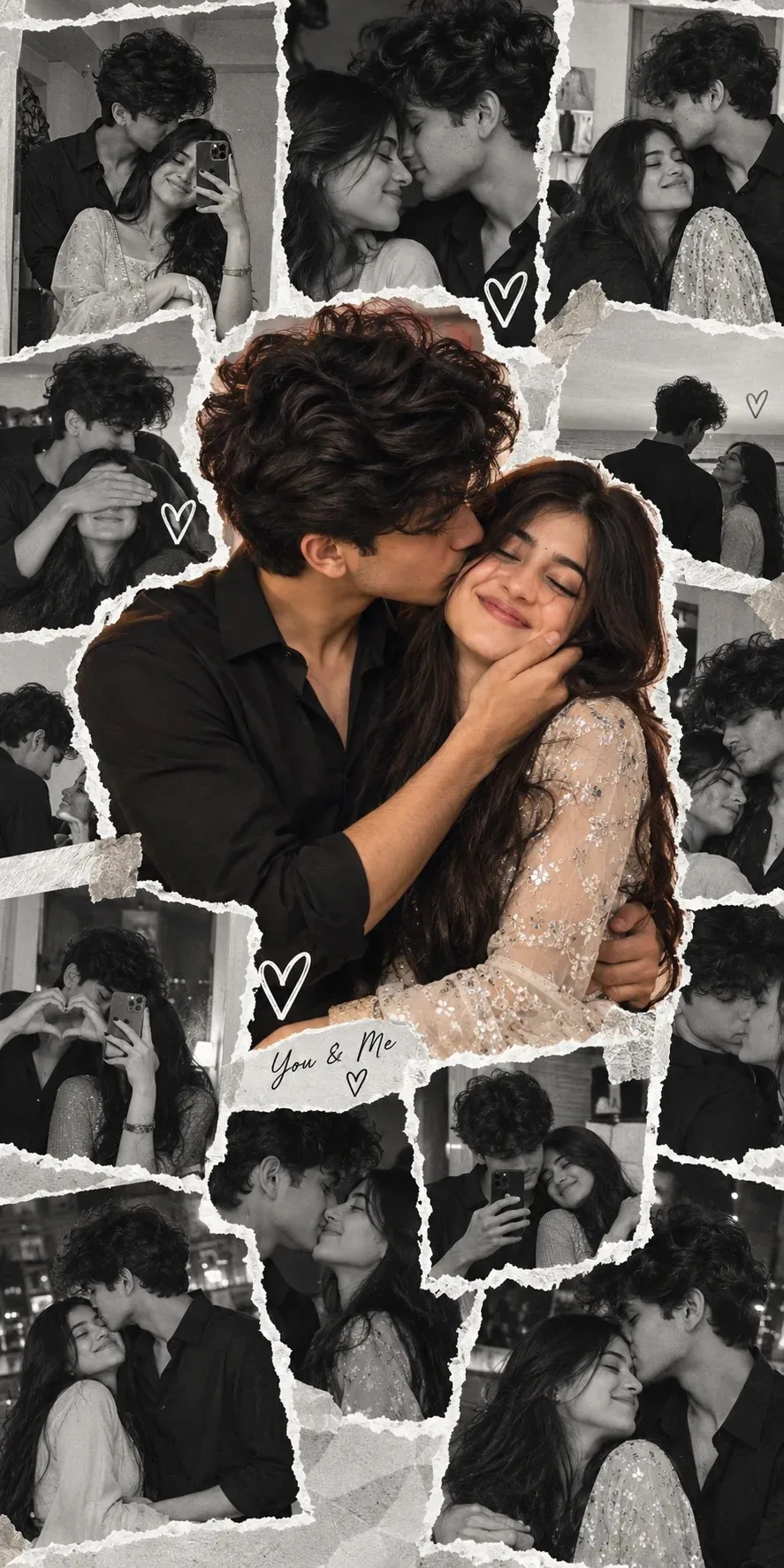
Romantic Couple Photo Collage ❤️ | Aesthetic Love Scrapbook Edit — ChatGPT AI Photography Prompt Recipe on Faymas
Social Media by Alex Rivera

Romantic Couple Photo Collage ❤️ | Aesthetic Love Scrapbook Edit

Exact Prompt Recipe Scroll to read more
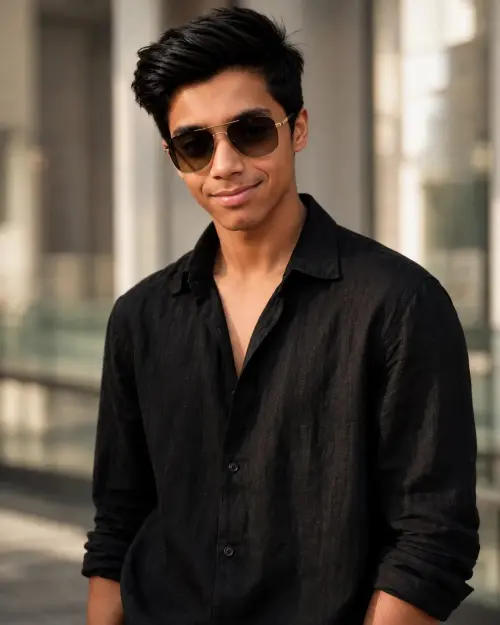
aspect ratio 9:16, Keep the person exactly as shown in the reference image with 100% identical facial features, bone structure, 4K details, has perfect facial details as reference image{ "category": "graphic_design", "category_reasoning": "A digital photo collage combining multiple images of a couple into a single composed graphic.", "adaptable": "subject", "subject": "A young couple in various affectionate poses.", "subject_details": "Woman: long dark hair, wearing a sequined or embellished light-colored top/dress. Man: voluminous dark curly hair, wearing a black button-down shirt.", "setting": "Digital canvas with various indoor/outdoor background elements in the inset photos.", "setting_details": "Collage format with torn paper or white rough-edged borders.", "composition": "Central cutout image of the couple kissing, surrounded by a grid of smaller, grayscale or muted photos of the same couple.", "camera": "Mixed perspectives from individual source photos, mostly close-ups and medium shots.", "lighting": "Mixed lighting from various source images, generally soft and diffused.", "color_grade": "Selective color/split-tone. The central image is in muted, warm color, while the surrounding images are black and white or heavily desaturated.", "color_palette": "Black, white, warm beige/gold, dark charcoal.", "style": "Digital scrapbook, romantic collage, social media edit.", "mood": "Romantic, affectionate, nostalgic.", "textures_materials": "Rough torn paper edges, sparkling sequins, dark cotton shirt.", "post_processing": "Digital compositing, selective colorization (center vs border images), rough border overlays.", "recreation_prompt": "A digital photo collage of a young couple. In the center, a large color cutout of the man with curly dark hair in a black shirt kissing the cheek of the woman with long dark hair in a sequined dress. The central image is surrounded by a messy grid of smaller, black-and-white or desaturated photos of the same couple in various affectionate poses, including mirror selfies and close-ups. The borders between the photos look like torn white paper edges. Selective color effect, romantic scrapbook style.", "adaptation_prompt": "A digital photo collage of [YOUR SUBJECTS — describe couple]. In the center, a large color cutout of them. The central image is surrounded by a messy grid of smaller, black-and-white or desaturated photos of the same couple in various affectionate poses. The borders between the photos look like torn white paper edges. Selective color effect, romantic scrapbook style.", "negative_prompt": "single photo, realistic environment, 3D render, vibrant colors everywhere, neat borders, mismatched subjects.", "color_science": "Selective color processing, monochrome surrounds with a warm-toned center.", "filter_name": "Selective Color Collage", "filter_description": "Desaturated/B&W perimeter images contrasting with a warm, naturally colored central subject, unified by white graphic borders.", "white_balance": "Warm in the center, neutral/monochrome elsewhere.", "color_temperature": "Mixed.", "tone_curve": "Standard contrast.", "dynamic_range": "Moderate.", "highlight_rendering": "Soft, with some specular highlights on the sequins.", "shadow_rendering": "Deep blacks in the man's shirt and hair.", "camera_rendering": "Standard digital photos arranged digitally.", "lens_rendering": "Mixed focal lengths.", "noise_profile": "Mild digital noise.", "grain_profile": "Subtle grain.", "sharpness_profile": "Generally sharp, some motion blur in smaller photos.", "retouching_analysis": "Digital layout masking and color separation.", "portrait_analysis": "Various affectionate poses, closed eyes, smiling.", "facial_expression": "Happy, content, romantic.", "micro_expression": "Relaxed features.", "skin_rendering": "Smooth in the center image.", "hair_rendering": "Detailed curly and long wavy textures.", "lighting_analysis": "Mixed source lighting.", "visual_style_analysis": "Personal social media scrapbook edit." }
Scroll for more
App: ChatGPT Ratio: 9:16

Suggested Prompts

More in Social Media →
Photo Reproduction Guide

How to Recreate This Photo in ChatGPT

Follow this quick 4-step workflow to generate an identical visual style using the exact parameters tested for Romantic Couple Photo Collage ❤️ | Aesthetic Love Scrapbook Edit.

1

Copy the Recipe

Click the Copy Full Prompt button above. All key descriptors, lighting commands, and lens tags are copied directly to your clipboard.

2

Open ChatGPT

Open your ChatGPT app or web interface (e.g. ChatGPT chat, Bing Image Creator prompt bar, or Midjourney Discord).

3

Set 9:16 Ratio

Set your canvas size to 9:16. This gives you the natural composition shown above.

4

Customize Subject

Want your own face or a different subject? Simply change the character description or hair/clothing while keeping the lighting and camera tokens intact!

Pro Tip: To maintain this exact lighting in ChatGPT, keep the camera, aperture, and lighting keywords unmodified.
✓