Back to All Prompts
ChatGPT • 9:16
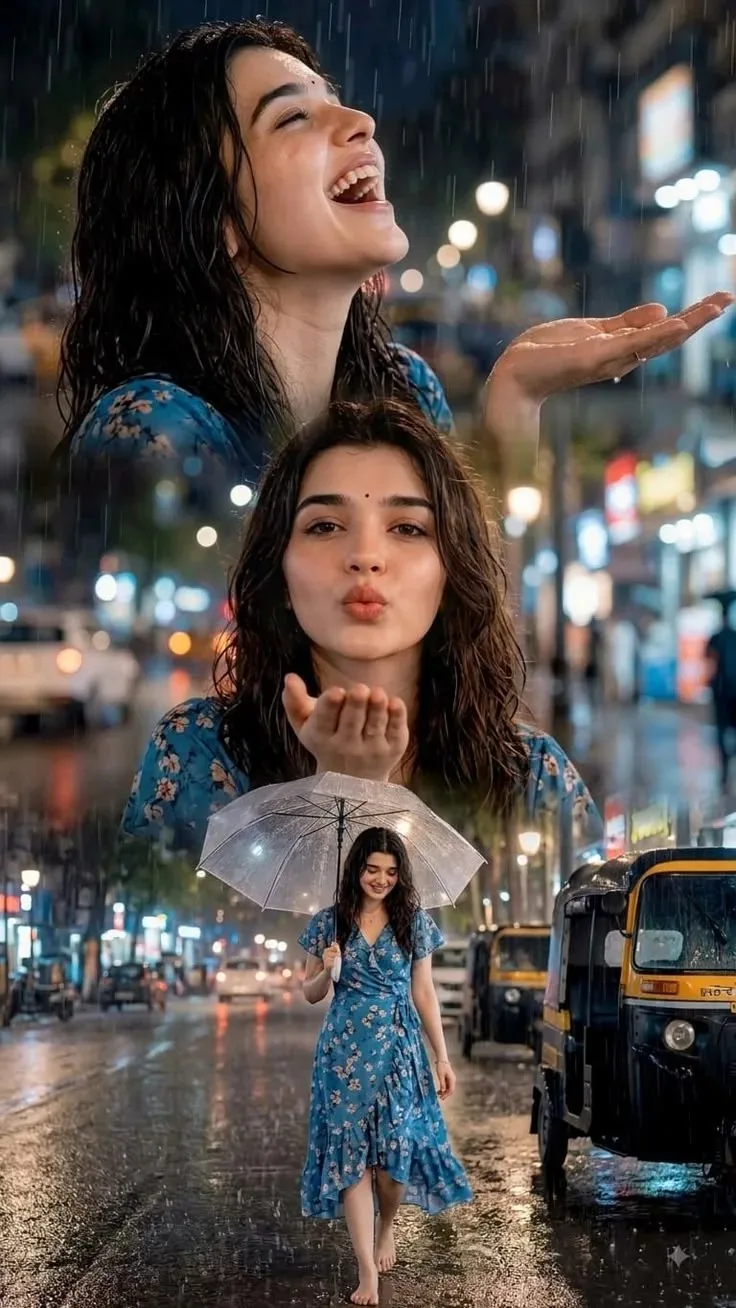
Monsoon Memories – A Rainy Night Story — ChatGPT AI Photography Prompt Recipe on Faymas
Illustration & 3D by Alex Rivera

Monsoon Memories – A Rainy Night Story

Exact Prompt Recipe Scroll to read more
Use the uploaded image as the main visual reference. Create a cinematic, dreamy monsoon-themed portrait collage of a young Indian woman enjoying a rainy evening in a lively city street. Preserve the same facial identity, facial features, hairstyle, natural skin texture, and overall appearance of the woman throughout all three visual moments. Top section: A close-up side-profile portrait of the woman standing in the rain, her wet hair naturally framing her face. She looks upward with her eyes gently closed and a joyful open smile, one hand raised to feel the falling raindrops. Middle section: A centered close-up portrait of the same woman with wet, naturally tousled hair, wearing a blue floral dress. She gently blows a playful kiss toward the camera with one hand near her lips. Bottom section: A full-body cinematic street scene of the same woman walking barefoot through a rain-soaked city street while holding a transparent umbrella. She wears the same blue floral dress. Reflections from streetlights shimmer across the wet road, with a parked black-and-yellow auto-rickshaw visible on the side. Use heavy natural rainfall, glowing city bokeh, wet-road reflections, soft warm streetlights, cool blue evening tones, atmospheric mist, and realistic water droplets. Blend all three moments smoothly into one premium vertical cinematic composition. Style: photorealistic Indian monsoon photography, cinematic storytelling, emotional and joyful mood, realistic wet hair and fabric, natural skin texture, shallow depth of field, dramatic night lighting, detailed rain particles, realistic reflections, premium editorial photography, 4K/8K, vertical poster composition. Important: Keep the woman’s identity consistent in every section. Avoid artificial facial changes, excessive skin smoothing, distorted hands/fingers, unrealistic rain, or cartoon-like effects.
Scroll for more
App: ChatGPT Ratio: 9:16
Photo Reproduction Guide

How to Recreate This Photo in ChatGPT

Follow this quick 4-step workflow to generate an identical visual style using the exact parameters tested for Monsoon Memories – A Rainy Night Story.

1

Copy the Recipe

Click the Copy Full Prompt button above. All key descriptors, lighting commands, and lens tags are copied directly to your clipboard.

2

Open ChatGPT

Open your ChatGPT app or web interface (e.g. ChatGPT chat, Bing Image Creator prompt bar, or Midjourney Discord).

3

Set 9:16 Ratio

Set your canvas size to 9:16. This gives you the natural composition shown above.

4

Customize Subject

Want your own face or a different subject? Simply change the character description or hair/clothing while keeping the lighting and camera tokens intact!

Pro Tip: To maintain this exact lighting in ChatGPT, keep the camera, aperture, and lighting keywords unmodified.
✓