Back to All Prompts
ChatGPT • 4:5
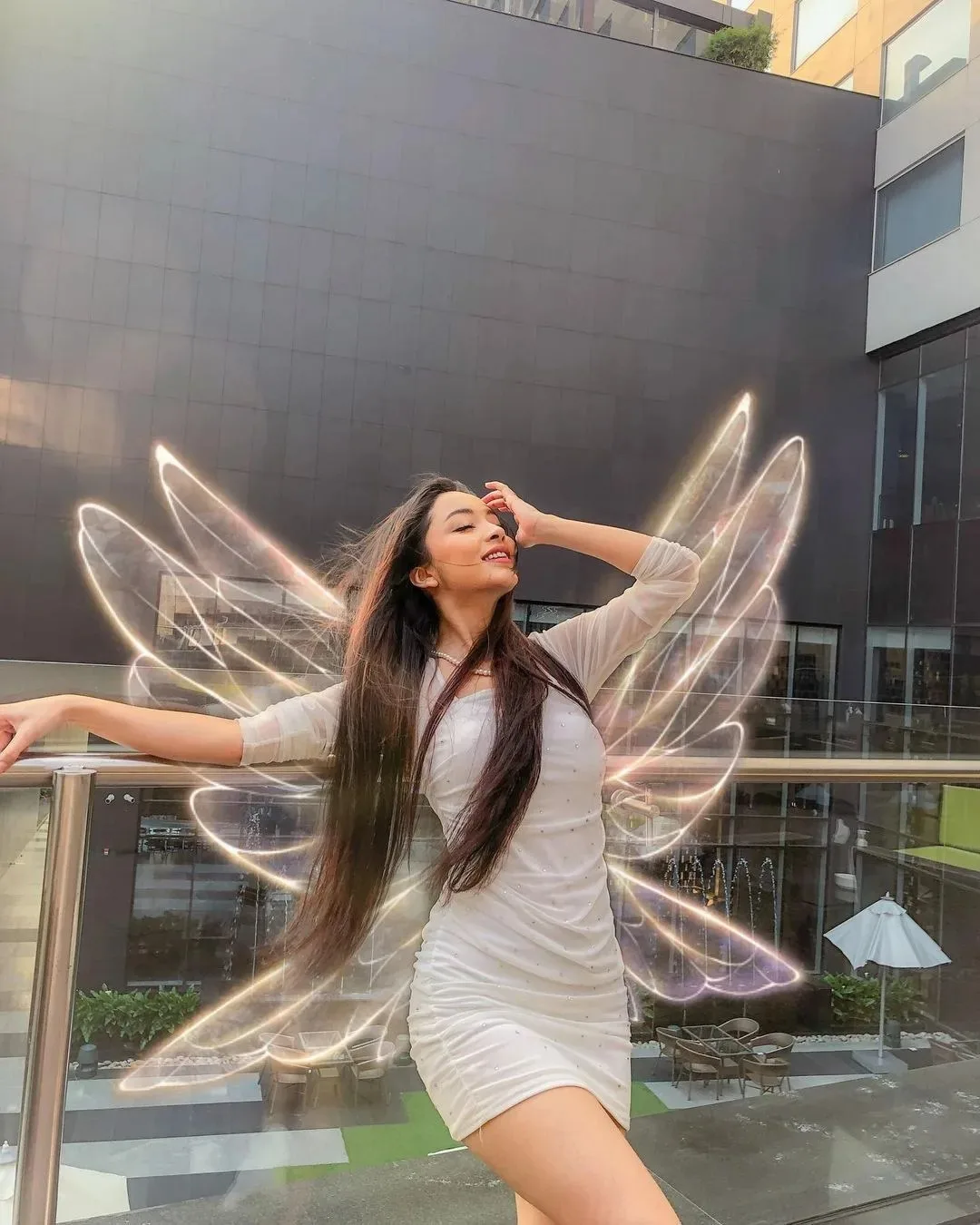
Magical Butterfly Light Pose — ChatGPT AI Photography Prompt Recipe on Faymas
Illustration & 3D by Alex Rivera

Magical Butterfly Light Pose

Exact Prompt Recipe Scroll to read more
Create an ultra-realistic cinematic vertical portrait of a young woman posing gracefully on an elegant modern outdoor terrace or balcony. She has very long, flowing dark-brown hair and wears a fitted white mini dress with subtle sparkling embellishments, long sheer sleeves, and a delicate pearl necklace. She poses dynamically with both arms extended in an elegant, carefree movement—one arm reaching outward while the other hand gently touches her forehead. Her head is tilted slightly upward, eyes softly closed, with a joyful natural smile, creating a dreamy and energetic candid moment. Behind her, create a stunning magical butterfly-wing light effect made from flowing luminous golden-white trails, forming large translucent wings around her body. The light trails should look artistic and ethereal while still appearing naturally integrated into the photograph. The setting is a sophisticated modern architectural courtyard with dark tiled walls, glass railings, large windows, outdoor seating, greenery, and soft daylight. Use subtle reflections and depth in the background. Photography: ultra-photorealistic DSLR photography, realistic skin texture, natural facial details, flowing hair captured in motion, cinematic daylight, magical glowing light trails, realistic reflections, shallow depth of field, elegant fashion photography, dynamic composition, natural proportions, high detail, 8K UHD, vertical 4:5 aspect ratio.
Scroll for more
App: ChatGPT Ratio: 4:5
Photo Reproduction Guide

How to Recreate This Photo in ChatGPT

Follow this quick 4-step workflow to generate an identical visual style using the exact parameters tested for Magical Butterfly Light Pose.

1

Copy the Recipe

Click the Copy Full Prompt button above. All key descriptors, lighting commands, and lens tags are copied directly to your clipboard.

2

Open ChatGPT

Open your ChatGPT app or web interface (e.g. ChatGPT chat, Bing Image Creator prompt bar, or Midjourney Discord).

3

Set 4:5 Ratio

Set your canvas size to 4:5. This gives you the natural composition shown above.

4

Customize Subject

Want your own face or a different subject? Simply change the character description or hair/clothing while keeping the lighting and camera tokens intact!


Pro Tip: To maintain this exact lighting in ChatGPT, keep the camera, aperture, and lighting keywords unmodified.
✓