Back to All Prompts
ChatGPT • 9:16
I phone wallpaper — ChatGPT AI Photography Prompt Recipe on Faymas
Wallpapers by Alex Rivera

I phone wallpaper

Exact Prompt Recipe Scroll to read more
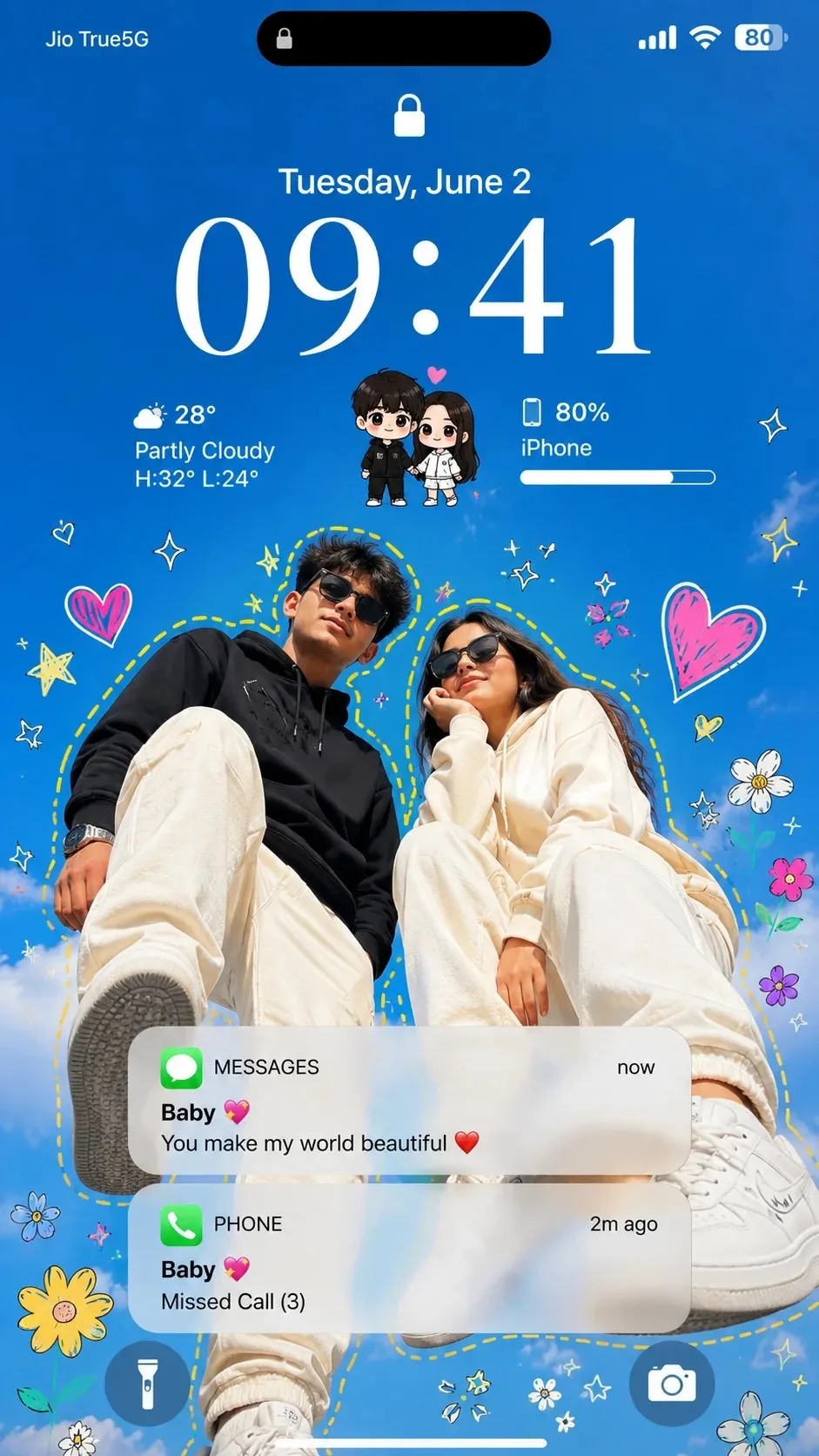
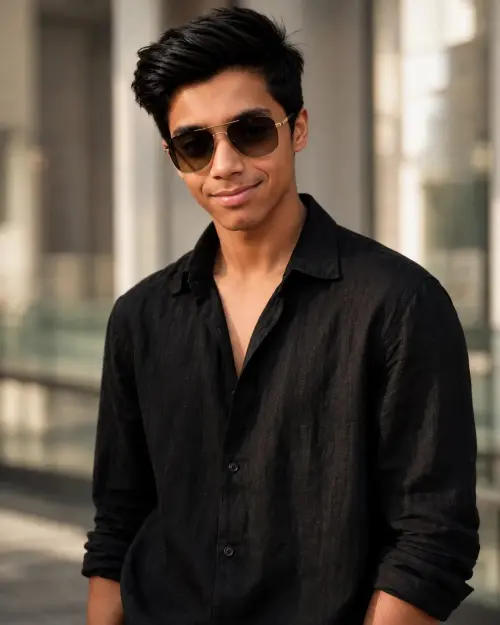
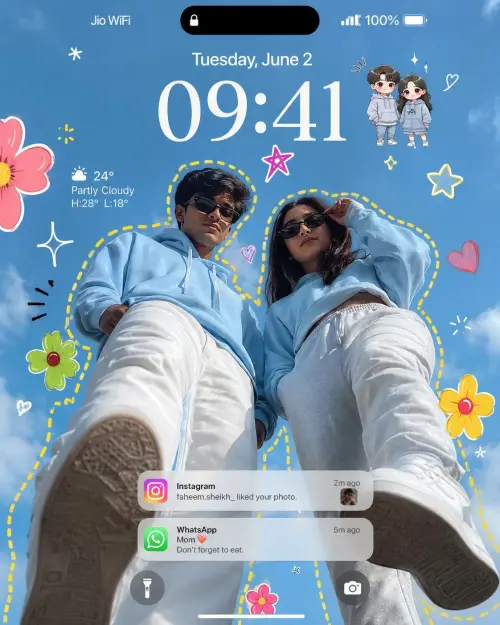
Analyze the uploaded reference photos of the couple to capture their exact faces, facial features, and identities with 100% precision. Create an ultra-realistic, premium iPhone lockscreen wallpaper. Transform the couple into trendy main characters photographed from an extreme low-angle perspective, as if the camera is placed on the ground looking upward against a bright, clear blue sky background. They are wearing stylish matching outfits with pristine white sneakers, striking confident, high-fashion poses. The overall vibe is a luxury fashion campaign and Pinterest aesthetic. Surround the couple with a vibrant, playful ecosystem of hand-drawn graphics, including colorful doodle flowers, sketch stars, sparkles, glowing hearts, and playful sticker elements. A bright yellow dashed outline precisely follows the contours surrounding both people. Add tiny, cute chibi cartoon versions of the couple near the top center area. Superimpose a highly realistic iPhone iOS lockscreen overlay over the entire image: featuring a centered Dynamic Island at the very top, a lock icon, a large elegant clock display showing '09:41', a date line saying 'Tuesday, June 2', a detailed battery indicator, a weather widget, and semi-transparent, realistic notification cards stacked beautifully at the bottom. Render with Apple keynote quality, ultra-realistic skin textures, natural daylight, vibrant colors, and ultra-sharp 8K masterpiece details. No AI artifacts, photorealistic finish. Aspect ratio must be 9:16.
Scroll for more
App: ChatGPT Ratio: 9:16

Suggested Prompts

More in Wallpapers →
Photo Reproduction Guide

How to Recreate This Photo in ChatGPT

Follow this quick 4-step workflow to generate an identical visual style using the exact parameters tested for I phone wallpaper.

1

Copy the Recipe

Click the Copy Full Prompt button above. All key descriptors, lighting commands, and lens tags are copied directly to your clipboard.

2

Open ChatGPT

Open your ChatGPT app or web interface (e.g. ChatGPT chat, Bing Image Creator prompt bar, or Midjourney Discord).

3

Set 9:16 Ratio

Set your canvas size to 9:16. This gives you the natural composition shown above.

4

Customize Subject

Want your own face or a different subject? Simply change the character description or hair/clothing while keeping the lighting and camera tokens intact!

Pro Tip: To maintain this exact lighting in ChatGPT, keep the camera, aperture, and lighting keywords unmodified.
✓