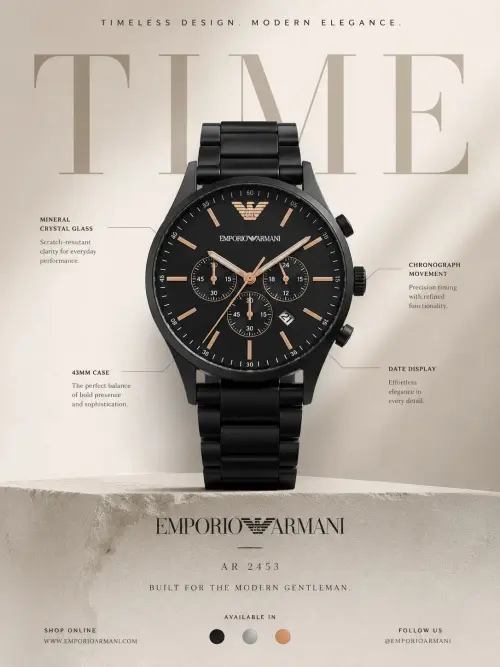
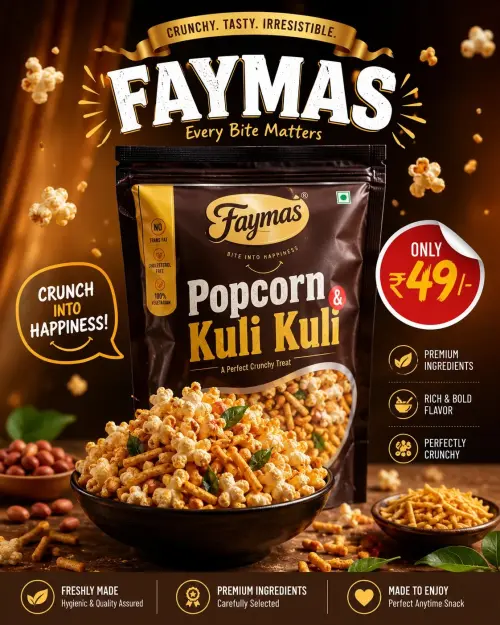
Create a **premium-quality, ultra-realistic vertical social-media poster / reel-thumbnail design** matching the uploaded reference as closely as possible in **composition, portrait placement, typography hierarchy, neon color palette, lighting, background structure, icon placement, framing, and polished graphic-design aesthetic**.
## IMPORTANT — Ask for User Inputs First
Before generating the final image, ask the user in **ONE message** for BOTH:
1. **Upload your photo** to use as the facial identity reference.
2. **Tell me the exact title/headline** you want displayed in the design.
Use this wording:
**“Please upload your photo and tell me the exact title/headline you want displayed in this thumbnail.”**
Do **not generate the image until both are provided.**
The text visible in the reference image is **visual-style-only information**. Never automatically reuse “CREATIVE REELS THUMBNAIL DESIGN,” “IMAGE NOT INCLUDED,” or any other visible reference wording.
The **only readable text in the final design must be the exact title/headline supplied by the user.** Do not invent, paraphrase, shorten, expand, or add any additional readable text.
## Identity Preservation — Highest Priority
Use the user's uploaded photo as the **only facial identity reference**.
Preserve the person's real appearance as accurately as possible:
- face shape and facial proportions
- forehead and natural hairline
- hairstyle, hair texture, and volume
- eyebrows
- eye shape and spacing
- nose
- lips and mouth
- cheeks
- jawline and chin
- ears
- skin tone
- age appearance
- facial hair if present
- overall recognizable identity
Do not beautify, reshape, slim, age-smooth, or alter ethnicity.
The final portrait must look naturally photographed, not like a pasted face or face swap. Match the head, neck, shoulders, skin texture, lighting, and body naturally.
## Canvas & Main Layout
Create a **vertical 9:16 poster**, approximately **1080 × 1920 px**.
Build a tall centered card occupying most of the frame.
The inner card should have:
- large rounded corners
- thin clean white outline
- subtle inset dashed border running parallel to the edge
- approximately equal left and right margins
- dark outer background visible around the card
- polished professional social-media-template appearance
Keep the entire design strongly symmetrical and vertically balanced.
## Outer Background
Outside the main rounded card, use a very dark **burgundy, black-red, and deep purple gradient**.
Add subtle:
- smoky texture
- soft grain
- dark vignette
- diffused red illumination toward the top
- faint purple glow toward the bottom
Do not include watermarks, stock-image marks, branding, signatures, or extra text.
## Inner Background
Inside the rounded card, create a vivid **purple-to-magenta neon gradient**, transitioning through:
- deep violet on the left
- saturated purple through the center
- hot magenta/pink toward the right
Add a very subtle technological grid across the background:
- thin vertical and horizontal lines
- low opacity
- faint intersection points
- soft glowing nodes
- modern digital-design feel
Add fine grain and light atmospheric texture so the background is not perfectly flat.
## Headline Area
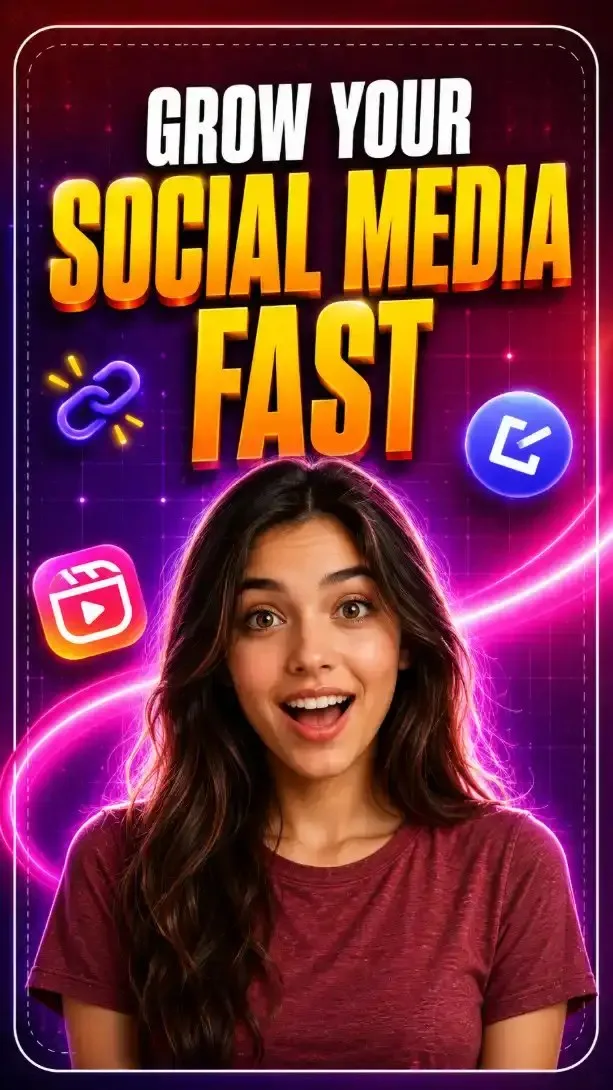
Position the user's exact supplied title across the **upper third** of the card.
Recreate the reference typography hierarchy rather than its wording.
Use a bold, condensed, uppercase display font similar to **Anton / Bebas Neue / Impact-style condensed lettering**.
Arrange the title intelligently into **2–3 stacked lines depending on its length**, while preserving the dramatic hierarchy of the reference.
### Typography Treatment
Use:
- smaller top line in bright white
- dominant middle line in vivid yellow-to-orange gradient
- optional lower line in the same yellow/orange treatment if required by the title length
For the primary yellow/orange words:
- bright yellow at the top
- deep orange toward the bottom
- subtle red-orange lower edge
- dark drop shadow
- slight dimensional extrusion
- thin warm highlight
- extremely bold condensed letterforms
The headline should feel oversized and energetic, filling most of the upper section without touching the card border.
Keep strong but clean line spacing.
## Portrait Placement
Place the person centrally in the **lower half**, starting roughly around the middle of the canvas and continuing to the bottom edge of the card.
Use a **chest-up / upper-torso crop**.
The head should overlap slightly into the graphic zone beneath the title without covering important wording.
Subject placement:
- centered horizontally
- face approximately around 62–68% of total image height
- shoulders extending almost to both sides of the inner card
- lower torso cropped by the bottom edge
## Facial Expression
Recreate the reference's energetic tutorial-thumbnail expression:
- looking directly into the camera
- eyes slightly widened
- eyebrows gently raised
- mouth slightly open
- visible teeth
- friendly surprised / excited expression
- approachable creator or presenter energy
Do not exaggerate into cartoonish shock.
Identity accuracy must remain more important than perfectly copying the expression.
## Clothing
Use a simple **heathered dark-red / muted red crew-neck T-shirt** similar in visual weight to the reference.
No logos, words, patterns, or branding on the shirt.
Add realistic:
- cotton texture
- small fabric folds
- shoulder contours
- natural shadows
## Subject Lighting
Use highly polished studio-style lighting.
Key characteristics:
- warm natural light across the face
- bright frontal facial illumination
- subtle pink-magenta reflected light from the right
- faint purple ambient light from the left
- strong soft white/pink rim light around the hair and shoulders
- luminous separation from the background
- realistic skin texture and pores
- crisp eyes
- controlled highlights
- cinematic but believable contrast
Create a strong **pink-purple halo behind the subject's head and shoulders**, especially behind the lower-middle area.
## Decorative Neon Curve
Add a large glowing **curved magenta ribbon / swoosh** moving through the middle of the composition.
It should:
- enter from the lower-left region
- sweep behind the subject
- arc upward toward the right
- feel smooth and futuristic
- use pink, purple, and soft white highlights
- remain partially hidden behind the person to create depth
Do not let the swoosh overpower the portrait or title.
## Floating Social-Media Style Icons
Add approximately **three decorative icons** around the portrait and title area.
Match the reference's general placements:
### Upper Left
A small abstract neon **chain/link symbol**, using:
- dark purple and blue loops
- small yellow/orange accent rays
- slight blur and glow
### Mid/Lower Left
A colorful rounded-square **short-video / reel-style icon**:
- pink
- orange
- yellow
- violet
- white internal play/reel geometry
Do not reproduce a trademarked logo exactly; create a generic social-video symbol with a similar visual role.
### Upper Right
A glossy blue-purple circular **abstract creator / editing icon**:
- blue outer glow
- purple center
- simple white angular symbol
- slight 3D depth
- soft blur around the edges
All icons must remain decorative and contain **no readable text**.
## Depth & Effects
Use layered depth:
1. digital grid background
2. neon ribbon
3. glowing decorative icons
4. portrait
5. headline typography
Apply selective soft blur to background objects while keeping:
- face
- eyes
- hair
- title
very crisp.
Use subtle bloom around bright pink, orange, yellow, and blue elements.
## Border
Recreate the prominent rounded-card treatment:
- thin solid white outer border
- large rounded corners
- second faint dashed inner border
- sufficient inset distance between the two lines
- clean premium graphic-template finish
## Overall Color Palette
Dominant colors:
- deep burgundy
- black-red
- violet
- royal purple
- neon magenta
- hot pink
- bright yellow
- orange
- white
- electric blue accents
The visual feel should be **bold, youthful, high-energy, digital, modern, creator-focused, and premium**.
## Image Quality
Use:
- ultra-detailed portrait photography
- realistic skin
- sharp facial features
- crisp hair strands
- realistic clothing
- controlled high dynamic range
- polished graphic compositing
- professional color grading
- luminous neon effects
- clean edge masking
- no pasted-face appearance
- no malformed hands or anatomy
- no visual clutter
## Strict Text Rule
The **only readable wording allowed anywhere in the generated image is the user's exact supplied title/headline**.
Do not add:
- “IMAGE NOT INCLUDED”
- reference-image wording
- labels
- usernames
- social handles
- captions
- icon text
- watermarks
- signatures
- random letters
- placeholder words
If decorative interface elements are needed, use abstract shapes with **no readable characters**.
## Negative Prompt
Avoid: inaccurate identity, different person, beautified face, changed facial proportions, face-swap artifacts, pasted face, plastic skin, cartoon rendering, distorted anatomy, duplicate portrait, asymmetrical eyes, malformed teeth, unreadable title, misspelled title, extra wording, watermarks, stock marks, brand logos, cluttered composition, flat lighting, weak neon glow, low resolution, oversaturated skin, poorly cut-out edges, or a generic AI-generated face.
## Final Goal
Produce a **premium vertical creator/reels thumbnail poster** with the same visual impact as the reference: a centered excited creator portrait, oversized bold white and yellow-orange typography above, vibrant purple-magenta digital background, floating creator-style icons, neon ribbon movement, strong glow, rounded white frame, and sophisticated high-contrast social-media graphic design — while replacing the reference person's identity with the uploaded user and replacing all reference wording with **onl
 ChatGPT
 ChatGPT
 ChatGPT