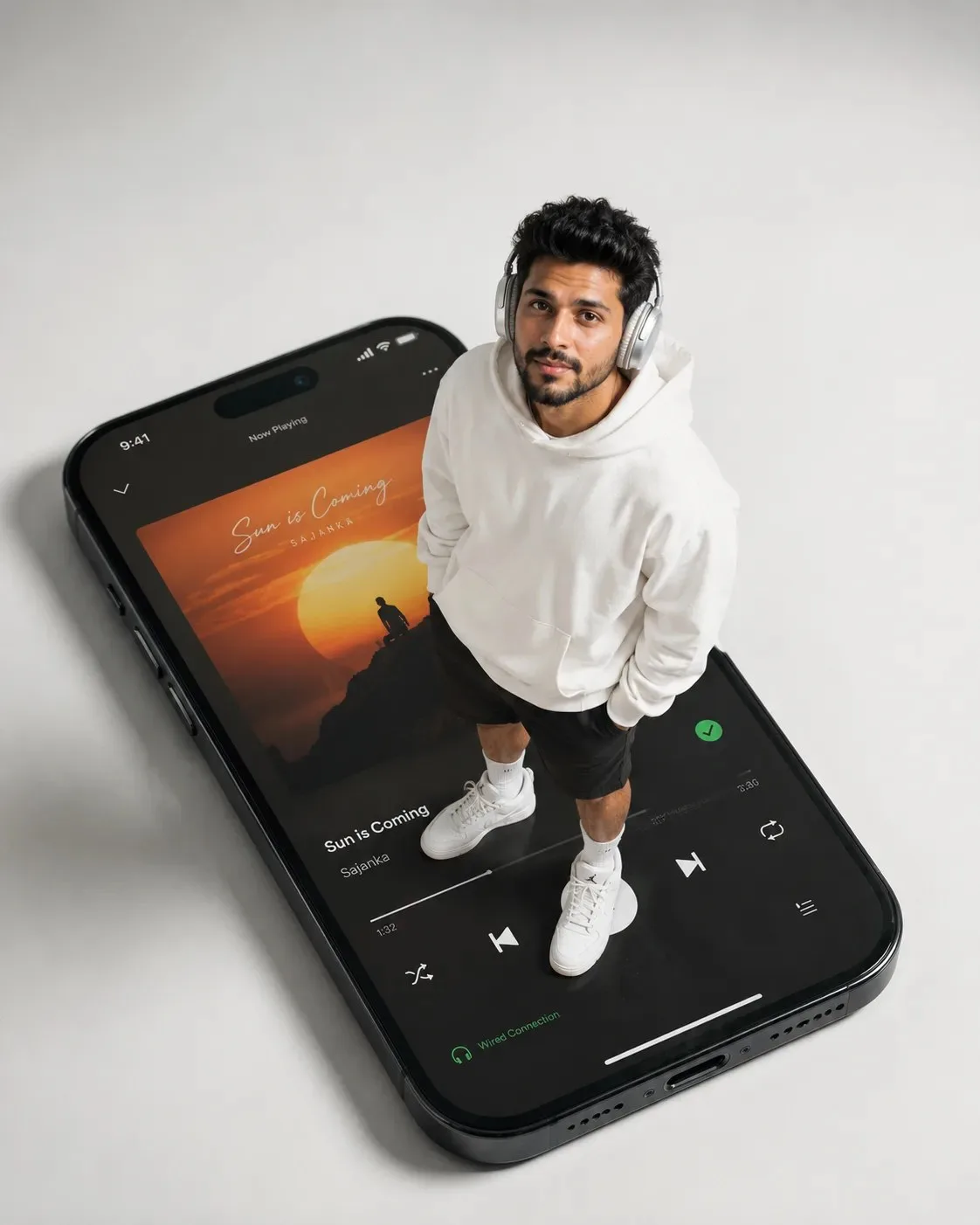
Create a sleek, modern forced-perspective portrait of a male standing on top of a gigantic smartphone screen, with extreme scale contrast. The phone dominates the environment, and the subject appears life-size and physically grounded on its surface.
Subject
Male with natural dark hair, well-groomed.
Expression
Neutral, calm, confident. Looking directly upward at the camera.
Outfit
Oversized premium white hoodie (natural folds, soft drape), relaxed black shorts, clean white crew socks, white Air Jordan sneakers, metallic silver over-ear headphones (AirPods Max style).
Pose (LOCK)
Standing naturally, body slightly angled left (~10–15°).
Head tilted upward toward camera.
Both hands inside shorts pockets.
Weight evenly balanced. Grounded, realistic stance.
No exaggerated posing.
Scale (CRITICAL LOCK)
Phone occupies 85–90% of the lower frame area (the Phone's upper side on the left, the lower side on the lower right).
Subject occupies ~65–75% of frame height.
Full body visible (no cropping).
Subject must feel life-size relative to phone surface.
Feet firmly planted with realistic contact shadow.
No floating or miniature effect.
Camera (HARD LOCK)
Strict top-down high angle (70–80° overhead).
Camera nearly vertical — not diagonal or cinematic.
Flattened perspective like real top-shot photography.
Phone edges clearly visible in perspective (not flat front view).
Environment & Device
Giant black iPhone, minimal modern design.
iPhone head on left side in the frame.
Screen displays Spotify dark UI with album art interface featuring the song "Sun is Coming" by Sajanka, complete with album artwork depicting a stylized sunset and a human silhouette.
UI elements subtle, realistic, not distracting.
Phone placed on seamless light grey-white studio surface.
Background
Infinite seamless light grey-white studio sweep.
No horizon, no edges, no walls, no textures.
Clean, minimal, distraction-free.
Soft gradient falloff for depth.
Lighting
Soft high-key studio lighting from above.
Clean, diffused shadows.
Subtle ambient shadow under phone.
Realistic drop shadow from subject onto glowing screen.
Rendering Style
Ultra photorealistic (no AI look).
Natural skin texture (visible pores, no smoothing).
Accurate fabric physics (hoodie folds important).
Clean edges, no halo or cutout artifacts.
Lens & Technical
28–35mm lens (slightly wide for scale exaggeration).
f/2.8, mostly sharp focus.
High detail, 8K realism.
Aspect Ratio
4:5 vertical (composition built for this, no crop simulation).
Negative Prompt
no low angle, no eye-level shot, no cinematic tilt, no front view, no small phone, no tiny subject, no floating feet, no wrong perspective, no AI skin smoothing, no bad proportions
 ChatGPT
 ChatGPT
 ChatGPT
 ChatGPT
 ChatGPT
