Back to All Prompts
ChatGPT • 2:3
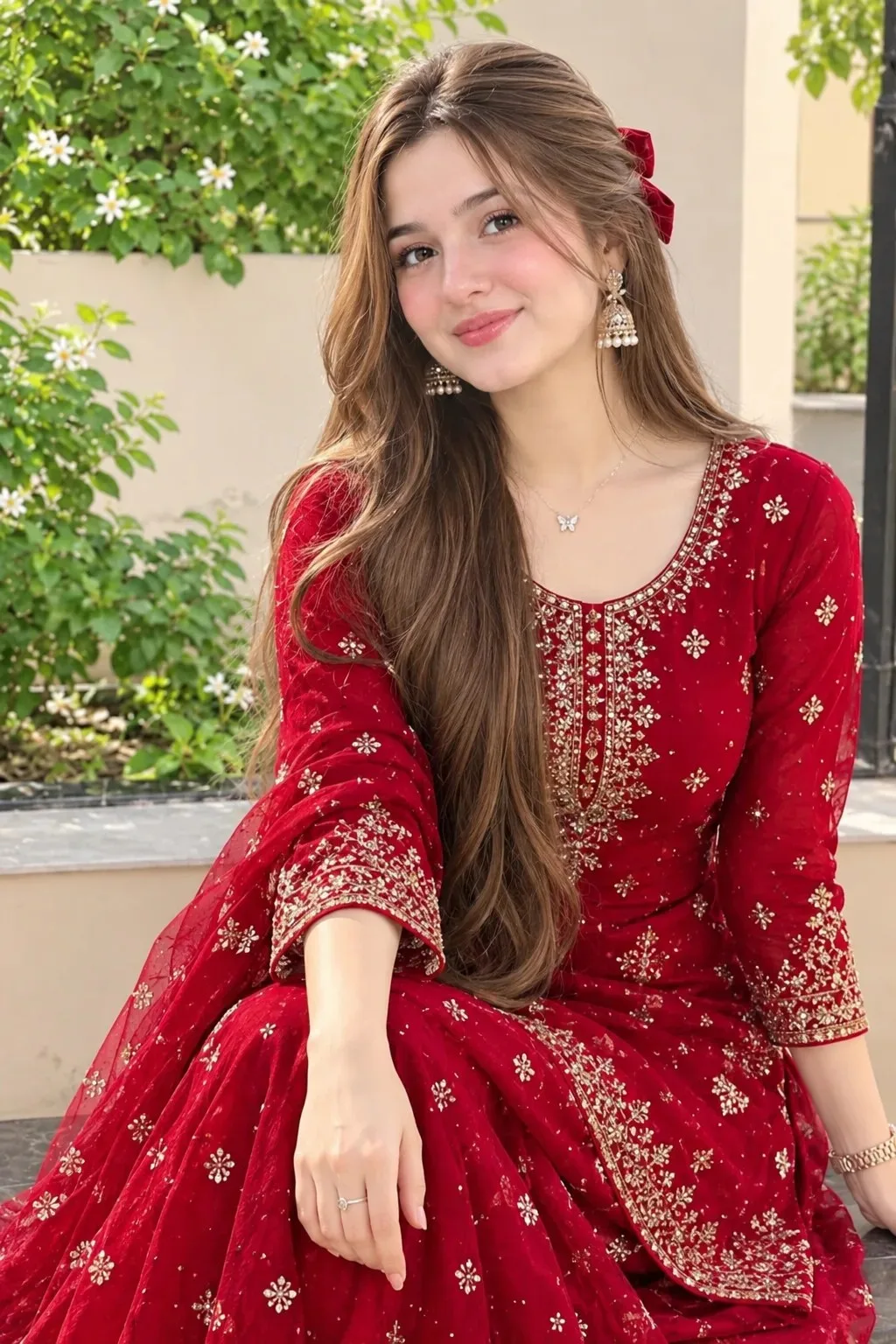
Elegant Red Glamour – Pakistani Influencer Style — ChatGPT AI Photography Prompt Recipe on Faymas
Photography by Alex Rivera

Elegant Red Glamour – Pakistani Influencer Style

Exact Prompt Recipe Scroll to read more
Create an ultra-realistic, high-resolution 8K portrait of a beautiful young Pakistani woman inspired by Rabeeca Khan, wearing an elegant, richly colored red traditional Pakistani outfit. She is seated gracefully in a charming outdoor garden courtyard, surrounded by lush green plants, delicate white flowers, and a soft, sunlit background. Give her long, silky dark brown hair styled in voluminous, natural waves, expressive brown eyes, softly defined eyebrows, a warm smile, and natural makeup with rosy cheeks and subtle pink lipstick. Her red outfit features intricate golden embroidery, delicate embellishments, elegant sleeves, and luxurious fabric that drapes naturally. Add tasteful gold earrings, a delicate necklace, and subtle traditional accessories. Capture her in a relaxed, graceful pose with a gentle head tilt and a confident, friendly expression. Use soft natural daylight, warm cinematic tones, realistic skin texture, detailed fabric embroidery, professional DSLR photography, shallow depth of field, and beautifully blurred garden greenery. Maintain accurate anatomy, realistic hands, sharp facial details, balanced composition, and a premium fashion-editorial aesthetic. Vertical 4:5 portrait framing, photorealistic quality, no artificial skin smoothing, no distorted features, no extra fingers, and no unwanted text or watermark.
Scroll for more
App: ChatGPT Ratio: 2:3

Suggested Prompts

More in Photography →
Photo Reproduction Guide

How to Recreate This Photo in ChatGPT

Follow this quick 4-step workflow to generate an identical visual style using the exact parameters tested for Elegant Red Glamour – Pakistani Influencer Style.

1

Copy the Recipe

Click the Copy Full Prompt button above. All key descriptors, lighting commands, and lens tags are copied directly to your clipboard.

2

Open ChatGPT

Open your ChatGPT app or web interface (e.g. ChatGPT chat, Bing Image Creator prompt bar, or Midjourney Discord).

3

Set 2:3 Ratio

Set your canvas size to 2:3. This gives you the natural composition shown above.

4

Customize Subject

Want your own face or a different subject? Simply change the character description or hair/clothing while keeping the lighting and camera tokens intact!


Pro Tip: To maintain this exact lighting in ChatGPT, keep the camera, aperture, and lighting keywords unmodified.
✓