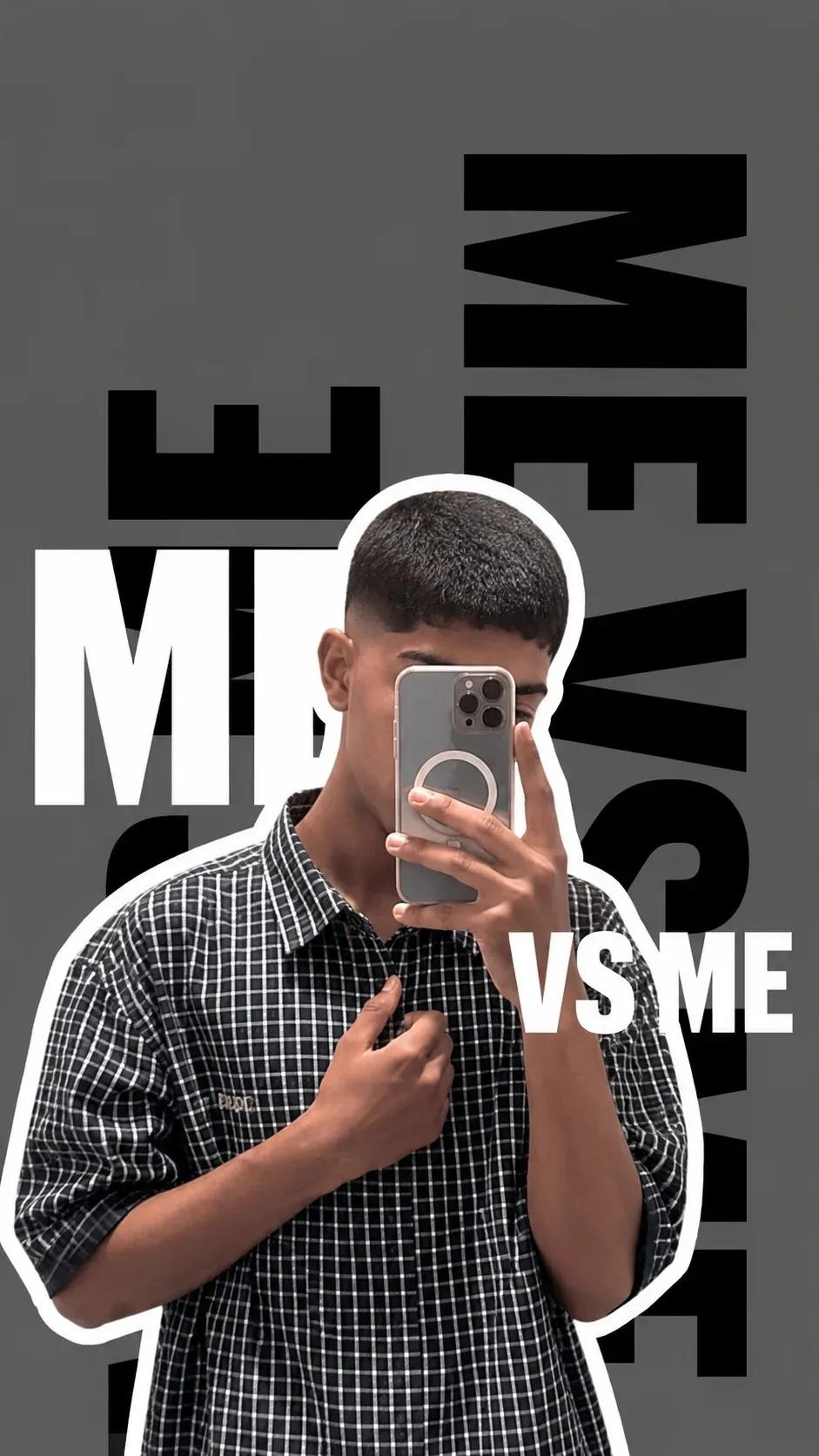
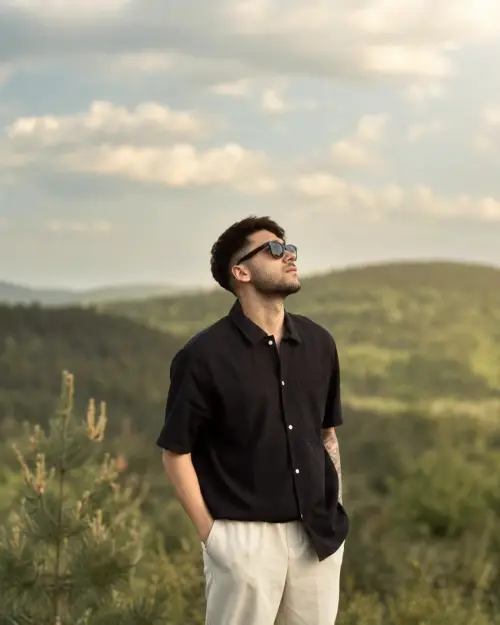
Create a vertical 9:16 Instagram/Pinterest-style boys profile-picture poster based on a realistic mirror selfie.
SUBJECT:
A young male standing and taking a mirror selfie with a smartphone held vertically in front of his face, partially/mostly covering his face. Thick, voluminous, naturally messy wavy black hair with a dramatic fluffy fringe. Keep the person's natural facial structure, skin tone, body proportions, and realistic appearance. Do not make the person muscular or excessively stylized.
OUTFIT:
Black-and-white small-checkered button-up shirt, relaxed slightly oversized fit, collar visible, sleeves rolled/folded around the forearms. Natural fabric wrinkles and realistic texture. One hand holds the smartphone near the face while the other hand casually grips the shirt near the chest, creating a relaxed fashion pose.
PHONE:
Modern smartphone with a metallic/light gray back and multiple camera lenses. Phone held vertically directly in front of the face. Realistic mirror reflection.
CUTOUT EFFECT:
Precisely isolate the entire person from the original background. Place a thick, irregular hand-cut white sticker outline around the complete silhouette of the subject, including hair, shoulders, arms and torso. The white outline should be clearly visible and slightly imperfect, like a professionally made Instagram sticker cutout.
BACKGROUND:
Minimal flat medium-dark gray background, approximately #5B5B5B. No realistic room background. Clean graphic-design composition.
TYPOGRAPHY:
Add huge bold condensed black typography behind the subject. Use oversized uppercase block letters arranged vertically and horizontally, partially hidden by the subject. The typography should feel experimental, editorial, streetwear and Instagram-trend inspired.
Behind the subject, include large abstract black text elements resembling:
"M"
"MI"
"VS"
"ME"
The letters should be extremely large, thick, bold, condensed sans-serif typography, extending beyond the edges of the composition. Some letters should be rotated or arranged vertically. Keep the text behind the person so that parts of the letters disappear naturally behind the body.
Add the clearly visible white text:
"VS ME"
Place "VS ME" toward the right side of the subject around chest/shoulder height. Use very bold uppercase white condensed sans-serif lettering.
COMPOSITION:
Subject centered slightly toward the lower-middle of the canvas. Hair reaches into the upper-middle area. Large black typography fills the empty background around the subject. The person's silhouette overlaps and covers portions of the typography.
VISUAL STYLE:
Modern Instagram DP edit, Gen-Z streetwear poster, minimalist editorial graphic design, monochrome aesthetic, high-contrast cutout collage, fashion photography mixed with graphic typography, clean professional Photoshop-style composition.
IMAGE QUALITY:
Highly realistic person and clothing, sharp hair strands, realistic skin texture, realistic hands and fingers, realistic smartphone, clean edges around the cutout, crisp typography, high resolution, balanced spacing, professional poster composition.
IMPORTANT:
Preserve the person's recognizable natural appearance if a reference photo is provided. Do not change facial proportions, hairstyle into a completely different style, skin tone, or body shape. No extra fingers, malformed hands, duplicated limbs, distorted phone, blurry face, watermark, random text, or unnecessary background objects.
Scroll for more ↓
 ChatGPT
 ChatGPT
 ChatGPT
 ChatGPT
 Meta AI
 ChatGPT