Back to All Prompts
ChatGPT • 9:16
Between Roads & Memories 🖤 — ChatGPT AI Photography Prompt Recipe on Faymas
Photography by Alex Rivera

Between Roads & Memories 🖤

Exact Prompt Recipe Scroll to read more
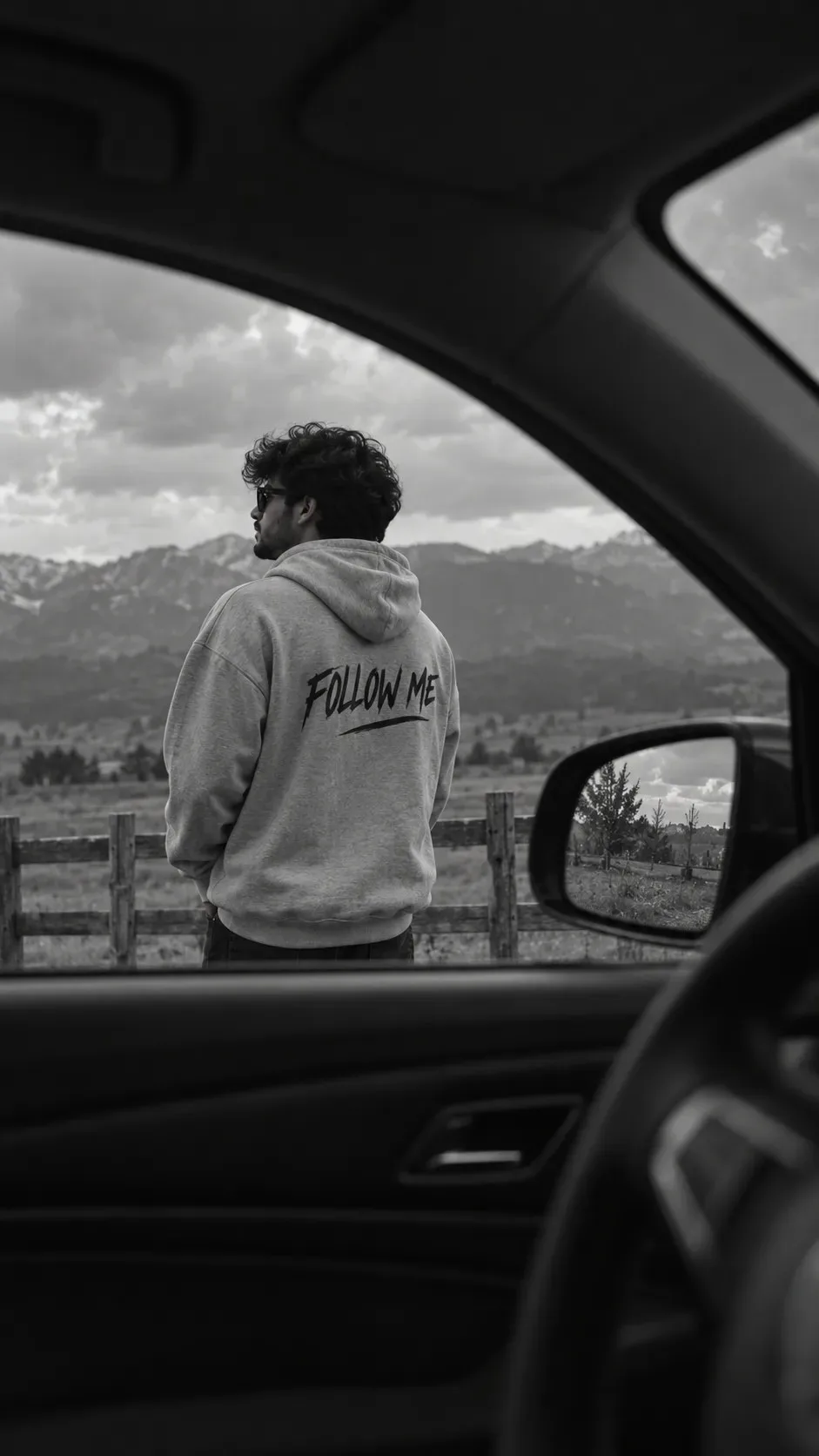
Ultra-realistic black and white cinematic photo of me standing outside near a wooden fence in an open rural area, viewed from inside a parked car through the driver's side perspective. I stand with my back mostly turned toward the camera, my upper body slightly rotated sideways so part of my facial profile remains visible. My posture is relaxed and natural, with my shoulders lowered and my arms resting loosely by my sides. My head is turned gently to the left as I look into the distance instead of directly at the camera, creating a calm, reflective mood I wear an oversized light-gray hoodie with thick soft cotton fabric and a slightly heavy streetwear fit. The hood rests naturally on my back with realistic folds and fabric tension. On the back of the hoodie designed text: "FOLLOW ME", giving the outfit a modern urban streetwear aesthetic. I also wear dark sunglasses with thick frames, adding a mysterious cinematic character. No additional accessories visible The image is framed from inside the car cabin, with the steering wheel blurred in the foreground and the dark interior roof naturally framing the top of the composition. The side mirror is visible on the right side of the frame, reflecting part of the outdoor environment. Shot from a seated eye-level perspective inside the vehicle using a documentary-style composition. Captured with a 35mm lens for a slightly compressed cinematic street photography look, shallow depth of field, soft natural overcast lighting, realistic shadows, subtle film grain, monochrome tones, muted contrast, atmospheric editorial photography style, candid moment aesthetic photorealistic textures, realistic fabric folds, immersive composition. Preserve my exact facial structure and identity with no alterations to my face. arr 9:16
Scroll for more
App: ChatGPT Ratio: 9:16

Suggested Prompts

More in Photography →
Photo Reproduction Guide

How to Recreate This Photo in ChatGPT

Follow this quick 4-step workflow to generate an identical visual style using the exact parameters tested for Between Roads & Memories 🖤.

1

Copy the Recipe

Click the Copy Full Prompt button above. All key descriptors, lighting commands, and lens tags are copied directly to your clipboard.

2

Open ChatGPT

Open your ChatGPT app or web interface (e.g. ChatGPT chat, Bing Image Creator prompt bar, or Midjourney Discord).

3

Set 9:16 Ratio

Set your canvas size to 9:16. This gives you the natural composition shown above.

4

Customize Subject

Want your own face or a different subject? Simply change the character description or hair/clothing while keeping the lighting and camera tokens intact!

Pro Tip: To maintain this exact lighting in ChatGPT, keep the camera, aperture, and lighting keywords unmodified.
✓