Back to All Prompts
ChatGPT • 4:5
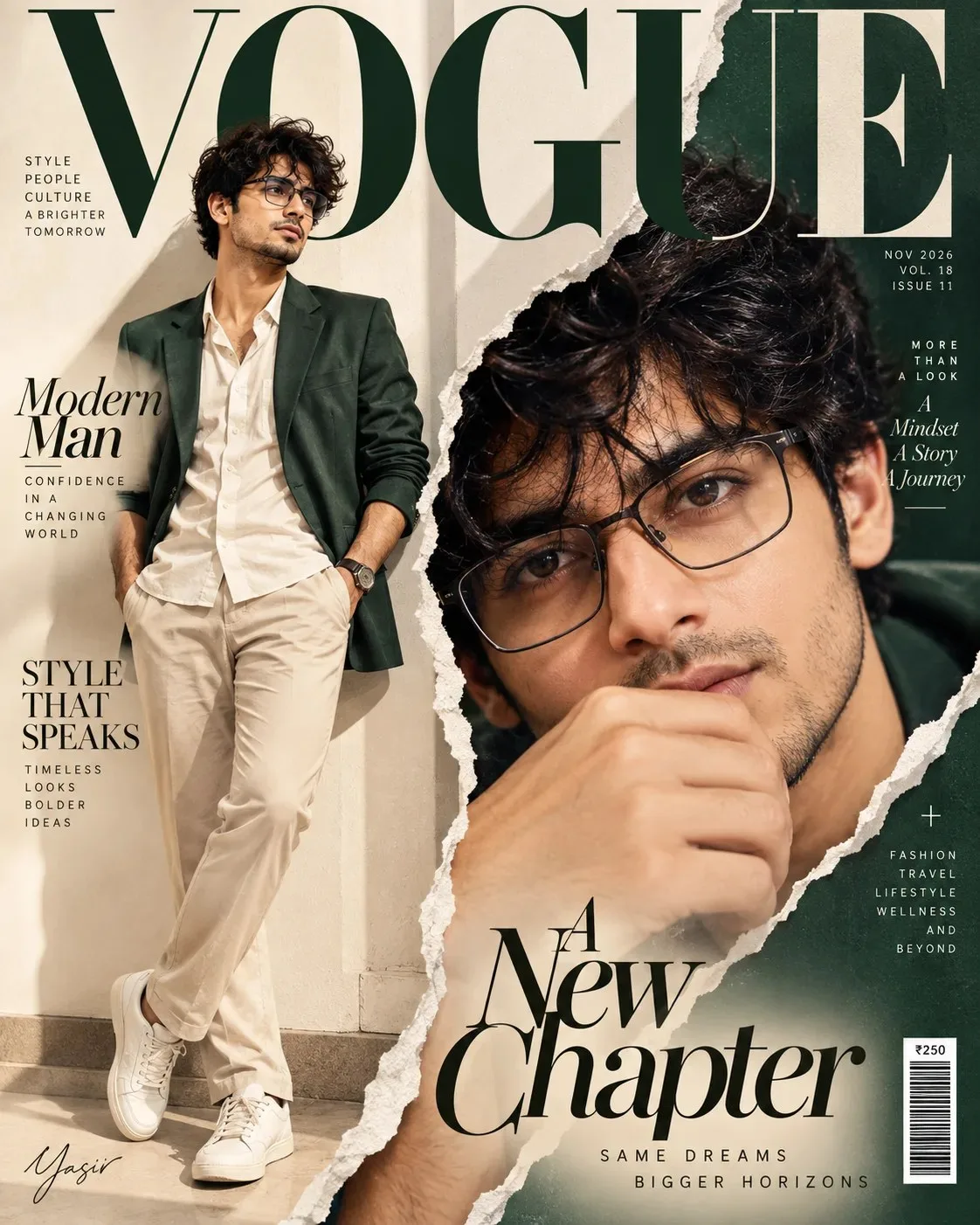
A New Chapter — ChatGPT AI Photography Prompt Recipe on Faymas
Poster Design by Alex Rivera

A New Chapter

Exact Prompt Recipe Scroll to read more
SUBJECT: [NAME / MALE or FEMALE] Use the uploaded photo as the ORIGINAL SUBJECT and ONLY identity reference. Preserve the exact recognizable identity, facial structure, eyes, eyebrows, nose, lips, jawline, skin tone, age, hairstyle OR natural baldness, gender and distinctive features with ZERO identity drift. The person must remain clearly the SAME PERSON. Create a premium high-fashion magazine cover inspired by the reference. Use a sophisticated torn-paper composition: one section shows the subject in a full-body luxury fashion pose, while a second torn-paper opening reveals an intense extreme close-up of the SAME FACE. The two views must clearly belong to the same person and connect naturally through realistic ripped paper edges. For FEMALE: elegant modest haute-couture styling. For MALE: refined masculine luxury tailoring. Use neutral ivory, cream, beige and subtle dark-green editorial accents, luxurious fabrics, sophisticated studio lighting and premium fashion photography. Add realistic magazine typography, a large elegant masthead, refined cover lines, issue details and barcode arranged like a real luxury fashion magazine. Keep typography clean, balanced and professional. Ultra-realistic editorial photography, luxury fashion campaign, sharp facial details, realistic skin texture, dramatic close-up, premium print finish, sophisticated art direction, vertical 4:5. Add only the signature discreetly at bottom-left:
Scroll for more
App: ChatGPT Ratio: 4:5

Suggested Prompts

More in Poster Design →
Photo Reproduction Guide

How to Recreate This Photo in ChatGPT

Follow this quick 4-step workflow to generate an identical visual style using the exact parameters tested for A New Chapter.

1

Copy the Recipe

Click the Copy Full Prompt button above. All key descriptors, lighting commands, and lens tags are copied directly to your clipboard.

2

Open ChatGPT

Open your ChatGPT app or web interface (e.g. ChatGPT chat, Bing Image Creator prompt bar, or Midjourney Discord).

3

Set 4:5 Ratio

Set your canvas size to 4:5. This gives you the natural composition shown above.

4

Customize Subject

Want your own face or a different subject? Simply change the character description or hair/clothing while keeping the lighting and camera tokens intact!

Pro Tip: To maintain this exact lighting in ChatGPT, keep the camera, aperture, and lighting keywords unmodified.
✓